
Standalone
Agency-Admin الإعدادات
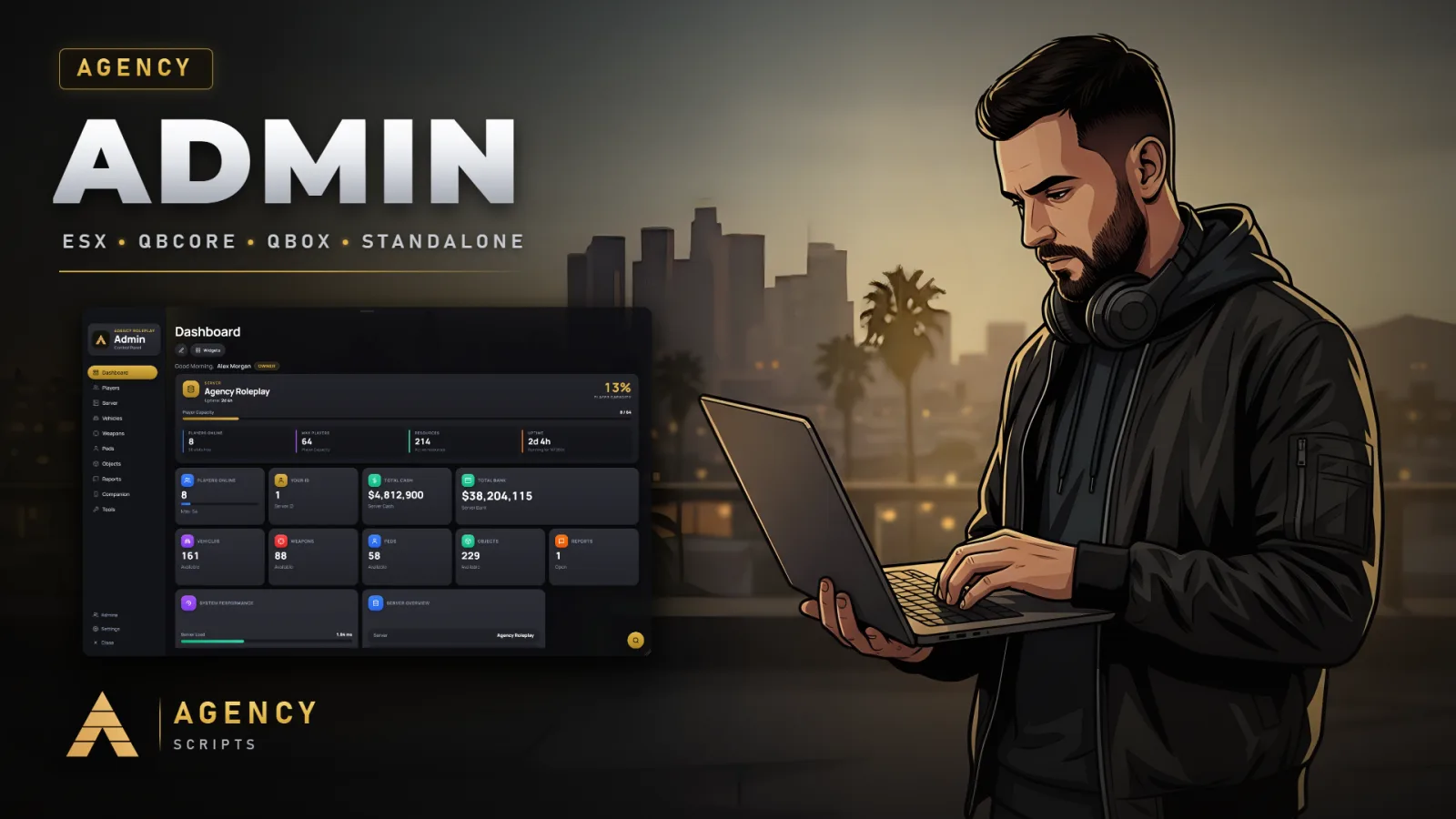
لوحة إدارة لـ FiveM بتصميم Agency مع لوحة ويب كاملة على جهاز الكمبيوتر الخاص بك.
v1.7.2مدفوع6 صفحات
01الإعدادات
تثبيت سريع · config.lua · Agency-Admin
Config = {}

-- ┌─────────────────────────────────────────┐
-- │           GENERAL SETTINGS              │
-- └─────────────────────────────────────────┘

Config.Locale    = 'en'       -- en | de | cs | esm | fr | it | nl | pl | pt | ro | ru | sv | tr
Config.Framework = 'auto'    -- auto | qb | esx | ox | standalone


-- ┌─────────────────────────────────────────┐
-- │                BRANDING                 │
-- └─────────────────────────────────────────┘
-- Your server in the top left corner of the panel.
--   ServerName  the gold line above "Admin". '' hides it.
--   Logo        a picture inside the web folder, or a full https:// link.
--               Easiest: replace web/images/brand/logo.png with your own
--               square picture (PNG, JPG or WEBP, 256x256 or larger) and keep
--               this setting as it is. false shows no logo.

Config.Branding = {
    ServerName = 'Agency Scripts',
    Logo       = 'images/brand/logo.png'
}


-- ┌─────────────────────────────────────────┐
-- │          COMMANDS & KEYBINDS            │
-- └─────────────────────────────────────────┘

Config.Commands = {
    Primary = 'aadmin',
    Short   = 'agencyadmin',
    Tools   = 'aa'
}

Config.Keybind      = 'F10'
Config.ToolsKeybind = 'F9'

-- ┌─────────────────────────────────────────┐
-- │                 HOTKEYS                 │
-- └─────────────────────────────────────────┘
-- Extra admin actions that appear under
-- FiveM > Settings > Key Bindings > FiveM.
--
-- They ship UNBOUND on purpose: every admin picks their own keys in the
-- game settings. Put a key name here (e.g. 'F7', 'DELETE', 'NUMPAD1') to
-- ship a default binding instead.
--
-- Every hotkey is permission-checked on the server, so binding a key gives
-- a player without the matching permission nothing at all.

Config.Hotkeys = {
    Enabled = true,          -- false = register no hotkeys at all

    Keys = {
        duty         = '',   -- admin_duty
        noclip       = '',   -- tool_noclip
        godmode      = '',   -- tool_godmode
        invisible    = '',   -- tool_invisible
        playerIds    = '',   -- tool_player_ids
        playerBlips  = '',   -- tool_player_ids
        infiniteAmmo = '',   -- tool_infinite_ammo
        superJump    = '',   -- tool_super_jump
        healSelf     = '',   -- tool_heal_self
        reviveSelf   = ''    -- tool_revive_self
    }
}

-- ┌─────────────────────────────────────────┐
-- │             PERMISSIONS                 │
-- └─────────────────────────────────────────┘
-- Permissions, Ranks & Staff Groups are managed
-- 100% in-game via Settings > Ranks & Permissions.
-- Data is stored in ranks_data.json (auto-migrated on first boot).

-- ┌─────────────────────────────────────────┐
-- │             NOTIFICATIONS               │
-- └─────────────────────────────────────────┘

Config.Notifications = {
    Duration        = 8000,
    Type            = 'info',
    UseAgencyNotify = true,
    PlaySound       = true
}

-- ┌─────────────────────────────────────────┐
-- │                  NOCLIP                 │
-- └─────────────────────────────────────────┘
-- Speed is adjusted in-game with the mouse wheel while noclip is active:
-- scroll up = faster, scroll down = slower. Holding SHIFT still boosts.

Config.Noclip = {
    BaseSpeed        = 0.5,    -- speed noclip starts at (units per frame)
    MinSpeed         = 0.05,   -- lower limit for the mouse wheel
    MaxSpeed         = 10.0,   -- upper limit for the mouse wheel
    SpeedStep        = 1.15,   -- factor per wheel notch (1.15 = ~15% per notch)
    SprintMultiplier = 4.0,    -- extra multiplier while SHIFT is held
    RememberSpeed    = true,   -- keep the chosen speed for the next noclip session
    ShowSpeedHud     = true    -- briefly show the speed on screen when it changes
}

-- ┌─────────────────────────────────────────┐
-- │             ADMIN DUTY                  │
-- └─────────────────────────────────────────┘

Config.AdminDuty = {
    Command = 'aaduty',
    Model   = 'mp_m_freemode_01',

    NameTag = {
        Enabled = true,   -- Enable/disable nametags globally
        OffsetZ = 1.15    -- Height above head (applies to all ranks)
    },

    -- Ranks, clothing and permissions are managed 100% in-game
    -- via Settings > Ranks & Permissions. Data is stored in ranks_data.json.
}

-- ┌─────────────────────────────────────────┐
-- │              OBJECT SPAWNER             │
-- └─────────────────────────────────────────┘
-- Render distance = how far away a placed prop keeps being drawn. GTA's own
-- default for script objects is short, so a big build fades out as soon as an
-- admin flies off. Higher values look better but cost GPU on large scenes.
--
-- Admins change it live with the slider in Tools > Objects; this is the value
-- they start with and the range the slider offers.

Config.ObjectSpawner = {
    RenderDistance = {
        Default = 300,    -- metres, applied to every newly placed object
        Min     = 50,
        Max     = 1500,
        Step    = 50      -- slider increment
    }
}

-- ┌─────────────────────────────────────────┐
-- │              SERVER METRICS             │
-- └─────────────────────────────────────────┘
-- Feeds the System Performance panel on the dashboard.
--
-- FiveM has no native for CPU or memory, and its Lua cannot read /proc.
-- The server does publish its own metrics on its game port, which is what
-- txAdmin reads too. Port 0 means auto-detect (the panel probes the usual
-- ports on boot and remembers the one that answers) — set it explicitly
-- only if your server listens somewhere unusual.

Config.Metrics = {
    Port         = 0,     -- 0 = auto-detect, or the port from endpoint_add_tcp
    TickBudgetMs = 5.0    -- main-thread budget; the load bar is filled against this
}

-- ┌─────────────────────────────────────────┐
-- │             PLAYER AVATARS              │
-- └─────────────────────────────────────────┘
-- Players who linked their Cfx.re (FiveM) account and uploaded a profile
-- picture on forum.cfx.re show that picture in the player list, the player
-- info and the search. Everyone else keeps the initials avatar. The server
-- asks policy-live.fivem.net once per player and keeps the answer for hours.

Config.PlayerAvatars = {
    CfxForum = true,   -- false = initials only, the server makes no requests
    Size     = 144     -- 96 | 144 | 288 pixels
}

-- ┌─────────────────────────────────────────┐
-- │                PICTURES                 │
-- └─────────────────────────────────────────┘
-- Pictures for the vehicles, peds, objects and weapons of the config. Each
-- entry is photographed in game once and stored inside this resource
-- (web/images/<kind>), so the panel shows it from then on. Added your own
-- vehicles, peds, props or weapons? Take their pictures in Settings > Pictures
-- (super admins only) or with the commands below. Needs screenshot-basic.
--   /aavehicleimages            entries that have no picture yet
--   /aavehicleimages all        every entry again
--   /aavehicleimages adder      a single entry (same for the other commands)
-- Restart Agency-Admin afterwards so every player receives the new pictures.

Config.Pictures = {
    Enabled  = true,
    Commands = {
        vehicles = 'aavehicleimages',
        peds     = 'aapedimages',
        objects  = 'aaobjectimages',
        weapons  = 'aaweaponimages'
    },
    Width    = 400,   -- saved picture size in px; keep 16:9 like the cards
    Height   = 225,
    Quality  = 0.82   -- WebP quality, 0.3 - 1.0
}

-- ┌─────────────────────────────────────────┐
-- │               WEATHER                   │
-- └─────────────────────────────────────────┘

Config.WeatherTypes = {
    'EXTRASUNNY', 'CLEAR', 'CLOUDS', 'OVERCAST',
    'RAIN', 'THUNDER', 'CLEARING', 'SMOG',
    'FOGGY', 'XMAS', 'SNOWLIGHT', 'BLIZZARD', 'SNOW'
}

-- ┌─────────────────────────────────────────┐
-- │           DISCORD WEBHOOK LOG           │
-- └─────────────────────────────────────────┘
-- Sends every admin action to a Discord channel via webhook.

Config.DiscordWebhook = {
    Enabled    = false,
    Url        = '',                                -- https://discord.com/api/webhooks/xxx/yyy
    Username   = 'Agency Admin',
    AvatarUrl  = 'https://i.imgur.com/DrIn7M6.png',                            -- optional avatar URL — must be a direct image URL (content-type image/*), not an album/page link
    EmbedColor = 3447003,                           -- decimal color (3447003 = blue)
    Title      = '',                                -- embed title; leave empty to use localized default from locales/*.lua (webhook_title)
    IncludeIdentifiers = true                       -- include steam/license/discord identifiers
}

-- ┌─────────────────────────────────────────┐
-- │         REPORTS INTEGRATION             │
-- └─────────────────────────────────────────┘

Config.Reports = {
    Enabled          = true,                             -- master switch for the whole report system (player UI + admin UI)
    MessageMaxLength = 500,                              -- max characters per chat message
    ShowClosedDays   = 30,                               -- reserved: future auto-hide of old closed reports

    Commands = {
        Submit  = 'areport',                             -- player command: open the own-reports UI
        AdminUI = 'areports'                             -- admin command: open Agency-Admin panel directly on the Reports tab
    },

    -- Categories shown in the player submit form (value goes into DB, label is shown).
    Categories = {
        { value = 'vdm',     label = 'VDM' },
        { value = 'rdm',     label = 'RDM' },
        { value = 'failrp',  label = 'FailRP' },
        { value = 'support', label = 'General Support' },
        { value = 'bug',     label = 'Bug Report' },
        { value = 'other',   label = 'Other' }
    },

    -- In-game notification behaviour for both players and admins.
    Notifications = {
        Duration        = 8000,
        Type            = 'info',
        UseAgencyNotify = true,                          -- fall back to Agency:Notify:Send event when framework notify unavailable
        PlaySound       = true
    },

    -- Per-report Discord webhook (new report, claim, close, delete). Optional
    -- and separate from Config.DiscordWebhook (which logs admin-panel actions).
    Discord = {
        Enabled = false,
        Webhook = {
            Url           = '',
            MentionRoleId = '',                          -- Discord role ID to ping, leave empty to disable
            Username      = 'Agency Reports',
            AvatarUrl     = ''
        },
        Invite = {
            Enabled = false,                             -- show a "copy invite" button in the player UI
            Link    = 'https://discord.gg/EECYq3XUsV'
        }
    },
}

-- ┌─────────────────────────────────────────┐
-- │         INTERNAL (do not edit)          │
-- └─────────────────────────────────────────┘

Config.Vehicles    = Config.Vehicles or {}
Config.VehicleCards = Config.VehicleCards or Config.Vehicles
Config.Weapons     = Config.Weapons or {}
Config.WeaponCards = Config.WeaponCards or Config.Weapons
Config.Peds        = Config.Peds or {}
Config.PedCards    = Config.PedCards or Config.Peds
Config.CustomPeds  = Config.CustomPeds or {}
Config.Objects     = Config.Objects or {}

-- =====================================================
-- Agency Companion app (iOS / Android) — admin on the go
-- =====================================================
-- ADMIN-ONLY pairing: the server only mints a QR for a player who currently
-- has panel access, and every command re-verifies the paired admin's rank +
-- permission LIVE server-side. The linked device inherits exactly the admin's
-- rights — nothing more. Writes require the admin to be in-game; monitoring
-- reads work while offline for rank-assigned / override admins.
Config.Companion = {
    Enable       = true,                       -- master toggle for pairing + relay
    EnableRemote = true,                       -- allow paired devices to reach the panel via the relay
    RelayUrl     = 'https://api.agencyg.de',   -- the Agency relay origin
    -- This server's own connection to the relay. A separate host name on purpose:
    -- FiveM allows only 8 connections per host, and every Agency script polls
    -- api.agencyg.de. Falls back to RelayUrl on its own if unreachable.
    ServerRelayUrl = 'https://admin-relay.agencyg.de',
    TokenTTL     = 300,                        -- seconds a QR / 6-digit code stays valid
    -- Web panel: the full admin panel in your PC browser, inside Agency Companion
    -- (companion.agencyg.de/app/admin). Connect it with the 6-digit code from the
    -- in-game panel (Web Panel tab or Settings > Companion). It runs through the
    -- Agency relay like the app: no port, nothing hosted on this server.
    WebPanel        = true,
    WebPanelCommand = 'webpanel',              -- opens the web panel in the browser, signed in ('' = no command)
    -- Live view of a player's screen in the web panel (permission spectate_player).
    -- 'stream': real video. The player's game is rendered in the NUI (no
    -- screenshot-basic needed) and sent straight to the admin's browser over
    -- WebRTC. If that cannot connect, the panel switches to single frames itself.
    -- 'frames': single frames only. Nothing is captured while nobody watches.
    LiveView = {
        Enabled           = true,
        Mode              = 'stream',          -- 'stream' | 'frames'
        StreamWidth       = 1280,              -- video width in px (640-1920), height follows the screen
        StreamFps         = 30,                -- 5-60
        StreamBitrateKbps = 2500,              -- 300-8000, upload the watched player needs
        Fps          = 3,                      -- frames mode: 1-5 frames per second
        Width        = 960,                    -- frames mode: frame width in px (320-1280)
        Quality      = 0.55,                   -- frames mode: 0.2-0.9, WebP quality
        NotifyPlayer = false,                  -- tell the player when an admin starts watching
        NotifyText   = 'An admin is watching your screen.',
    },
}

-- ─────────────────────────────────────────────────────────────────────────────
-- File manager with editor and the Configs page in the web panel.
-- Needs the permission web_files, which only wildcard ranks have until you
-- give it to someone in the rank editor. ReadOnly = true: look, not change.
-- Newer FXServer builds only let this resource save into another one when
-- server.cfg allows it (one line per resource, then restart the server):
--   add_filesystem_permission Agency-Admin write <resource>
-- The panel shows the exact lines when one is missing.
-- ─────────────────────────────────────────────────────────────────────────────
Config.WebPanelFiles = {
    Enabled   = true,
    ReadOnly  = false,
    MaxEditKb = 1024,   -- largest file the editor opens, in KB (64 - 8192)
}