Agency-Phone
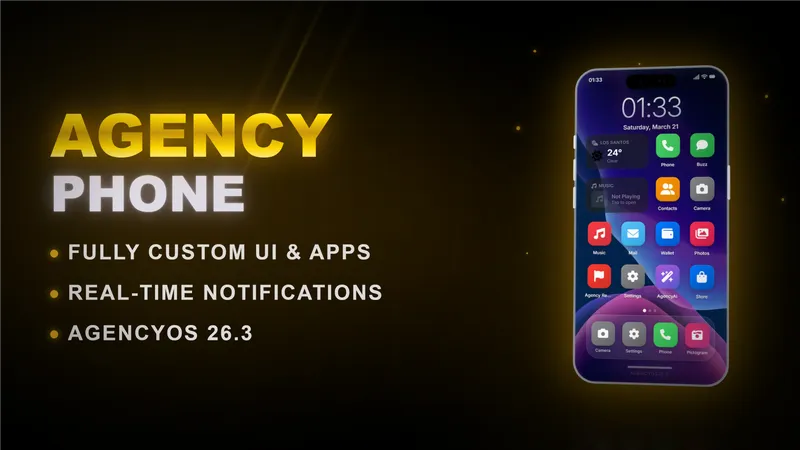
Modern multi-framework phone for FiveM with auto-detection for QBCore and ESX. Full app suite including Dialer with pma-voice calls, Buzz SMS messaging, Snap in-game camera, Pulse social feed, Postbox mail, Wallet with AgencyPay checkout, Gallery, Contacts, and Settings. Supports programmable notifications with accept/deny buttons and integrated payment flows.
🧩 Build a custom app for Agency-Phone
There are two ways to put an app on the phone. Pick the one that fits you:
| Method | Best for | What you touch |
|---|---|---|
| A. SDK (external resource) | Vendors and scripts adding an app with their own icon | Only your own resource. Zero edits to agency-phone. |
| B. Drop-in (inside agency-phone) | Server owners adding a native screen inside the phone UI | config.lua + apps/ (+ html/js for a screen) |
If you ship an app to other servers, use Method A. It needs no source from us and keeps working across updates.
A SDK — register an app from your own resource
agency-phone exposes exports that let any resource put an app (with its own icon) on the phone home screen at runtime. Your app's UI lives in your own resource; the phone shows the icon and hands control to you when the user taps it. No edits to agency-phone, no unlocked build.
Minimal example
-- client side of YOUR resource
CreateThread(function()
    Wait(1500) -- let agency-phone boot
    exports['agency-phone']:RegisterApp({
        id        = 'myshop',
        label     = 'My Shop',
        icon      = 'fa-solid fa-cart-shopping', -- FontAwesome 6 class
        -- image  = 'https://cfx-nui-myresource/icon.png', -- or your own image instead
        color     = '#ff9500',
        colorDark = '#e08600',
    })
end)

-- fired when the user taps your icon on the phone
AddEventHandler('agency-phone:client:openApp', function(appId)
    if appId ~= 'myshop' then return end
    exports['agency-phone']:ClosePhone()
    -- open your own NUI here
end)
RegisterApp config
| Field | Type | Required | Description |
|---|---|---|---|
id | string | yes | Unique id, lowercase, no spaces. |
label | string | yes | Name shown under the icon. |
icon | string | — | FontAwesome 6 class. Ignored if image is set. |
image | string | — | Custom icon image, e.g. https://cfx-nui-<resource>/icon.png. |
color / colorDark | string | — | Gradient behind the icon (hex). |
slot | number | — | Home-screen position. Auto-placed if omitted. |
SDK exports (client)
| Export | Description |
|---|---|
RegisterApp(config) | Add or update your app. Returns true, or false, err. |
UnregisterApp(id) | Remove your app. Also happens automatically when your resource stops. |
GetRegisteredApps() | Table of all registered external apps. |
ClosePhone() | Close the phone UI, e.g. before opening your own NUI. |
The tap event
When the user taps your icon, agency-phone fires both of these on the client (use whichever you prefer):
| Event | Args |
|---|---|
agency-phone:client:openApp | appId (filter by your id) |
agency-phone:client:openApp:<yourId> | none (already scoped to your app) |
Add dependency 'agency-phone' to your fxmanifest.lua so the start order is correct.
B Drop-in — a native screen inside the phone
For a screen rendered by the phone itself (not your resource). This edits agency-phone's own files.
| Step | File | Editable in escrow build? |
|---|---|---|
1. App entry in AgencyConfig.Apps | config.lua | ✓ yes |
2. RegisterNUICallback logic | apps/<id>_client.lua (+ _server.lua) | ✓ yes |
3. Screen <div id="app-<id>"> | html/index.html | ✗ encrypted |
4. case '<id>': in openApp() + loader | html/js/phone.js | ✗ encrypted |
Steps 3 and 4 live in escrow-encrypted files, so a native screen needs a source / unlocked build. If you only have the escrow version, use Method A instead (your screen lives in your own resource). Reference files inside the resource: apps/testapp_client.lua and apps/dispatch_client.lua.
📋 Other phone exports
Client
| Export | Returns | Description |
|---|---|---|
IsPhoneOpen() | boolean | Phone currently open. |
IsPhonePoweredOn() | boolean | Device powered on. |
HasPhone() | boolean | Player owns a phone item. |
HasCarrierContract() | boolean | Active eSIM / contract. |
GetPhoneData() | table | Snapshot of phone state. |
PhoneNotification(title, text, icon, color, timeout, acceptIcon, denyIcon) | void | In-phone notification. |
StartCall(contact) | void | Call { name, number }. |
StartAgencyPayCheckout(opts) | void | AgencyPay checkout (see below). |
Server
| Export | Description |
|---|---|
SendMail(identifier, mailData) | Deliver mail to a player (online or offline). |
AddChirp(data) | Post a message to the Pulse social feed. |
⇄ NUI ↔ Lua bridge (Method B)
| Direction | JS side | Lua side |
|---|---|---|
| JS → Lua | fetchNUI('callbackName', data) | RegisterNUICallback('callbackName', fn) |
| Lua → JS | listen for action in window.onmessage | SendNUIMessage({ action = '...' }) |
💳 AgencyPay checkout
Charge the player's wallet from any resource.
exports['agency-phone']:StartAgencyPayCheckout({
    merchant = 'My Shop', title = 'Agency Pay', subtitle = 'Checkout',
    label = 'Premium Coffee', amount = 24.50,
    icon = 'fa-solid fa-mug-hot', accent = '#ff9f0a',
    clientEvent = 'myshop:client:agencyPayResult',
    serverEvent = 'myshop:server:agencyPayResult',
    metadata = { orderId = 'order_2048' },
})

RegisterNetEvent('myshop:client:agencyPayResult', function(result)
    if result.status == 'paid' then
        -- deliver the goods
    end
end)
The result payload includes status (paid / cancelled / failed), amount, cardId, balance and your metadata.
🐛 Troubleshooting
| Symptom | Fix |
|---|---|
| Icon doesn't appear (SDK) | Update agency-phone to the latest Keymaster build, Wait(1500) before RegisterApp, and add dependency 'agency-phone' to your manifest. |
| Tapping does nothing (SDK) | Your agency-phone:client:openApp handler must match your id exactly (case-sensitive). |
| Custom image not showing | Use a full NUI URL https://cfx-nui-<your-resource>/path/icon.png and list the file in files { } in your manifest. |
| Icon doesn't appear (drop-in) | enabled = true and installed = true in the config entry. |
Questions, or need a hand? Join the Agency Scripts Discord.