
QBESXStandalone
Agency-Loadingscreen V2 Yapılandırma
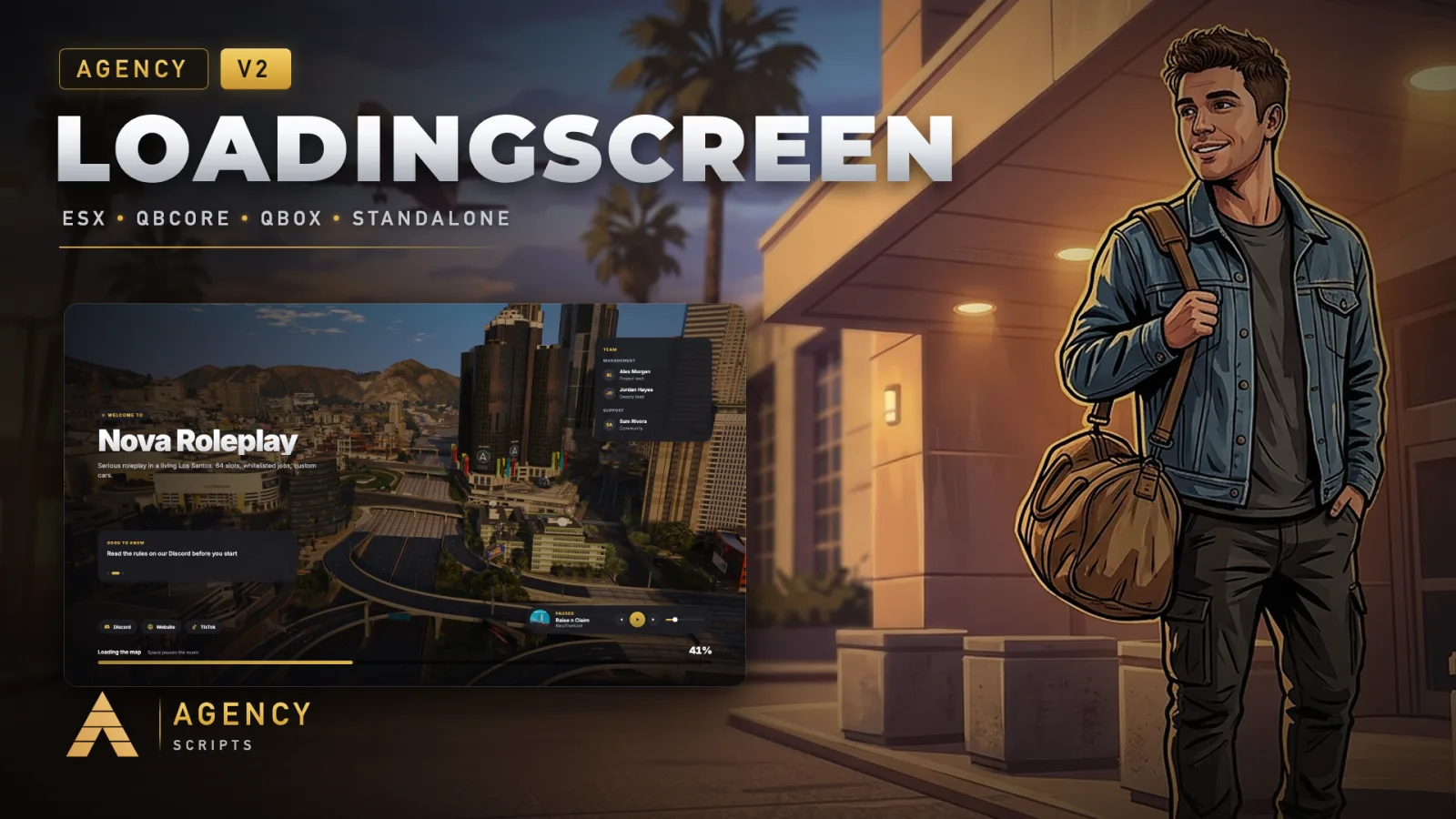
Agency tasarımında FiveM için bir yükleme ekranı.
v2.0.0Ücretli3 Sayfalar
01Yapılandırma
Hızlı Kurulum · config.lua · Agency-Loadingscreen V2
--[[
    ╔══════════════════════════════════════════════════════════════════════╗
    ║              AGENCY LOADINGSCREEN V2  -  CONFIGURATION               ║
    ║                          (c) Agency Scripts                          ║
    ╚══════════════════════════════════════════════════════════════════════╝

    Works out of the box. Put your own files into html/assets/ and name them
    here, or use a https link.

    CONTENTS
     1. Core               Language, server name, logo, colour
     2. Background         Video, picture or none
     3. Music              Songs, playlist, volume
     4. Tips               Rotating tips
     5. Links              Discord, website, socials
     6. Team               Team card
     7. Closing            When the screen closes

    Included music: "Raise n Claim" (RinoTheKidd), "Bigger Picture" and
    "Whole City Knows" (Agency Scripts). You may use them on your server as
    part of this loading screen, see LICENSE-MUSIC.txt.
]]

Config = {}


--==============================================================================
--  1 · CORE
--==============================================================================

-- ── Language ─────────────────────────────────────────────────────────────────
-- 25 languages included (locales folder):
-- en de fr es it pt nl pl cs hu ro bg hr el ru uk tr sv da fi ar hi ja ko zh
-- 'auto' follows your server language (qb_locale / esx:locale / ox:locale).
Config.Locale = 'en'

-- ── Server ───────────────────────────────────────────────────────────────────
Config.ServerName  = 'auto'                   -- 'auto' = sv_projectName from server.cfg
Config.Description = 'auto'                   -- 'auto' = sv_projectDesc
Config.Logo        = 'logo.png'               -- file in html/assets, a https link, or false

-- ── Colour ───────────────────────────────────────────────────────────────────
-- 'auto'  = taken from your logo (gold when there is none)
-- a preset: 'gold' 'blue' 'cyan' 'green' 'red' 'orange' 'pink' 'purple' 'white'
-- or your own R, G, B: { 226, 182, 73 }
Config.Accent = 'auto'


--==============================================================================
--  2 · BACKGROUND
--==============================================================================
--   type  : 'image' = pictures with a slow camera drift (default, smoothest)
--           'video' = videos in a loop
--           'none'  = a calm dark gradient, no media at all (fastest)
--   video : links (https) or files in html/assets (mp4 / webm). One or a list that
--           plays one after the other. The included montages stream in 1080p from
--           our server, so players download nothing extra with the resource.
--           Your own: an mp4 (H.264, 1080p, about 6 Mbit/s) as a file or link plays
--           smoothest. YouTube links work too, but YouTube picks the quality
--           itself and costs more performance while the game loads.
--   dim   : how much darker the background is drawn (0 to 0.8)
--   youtubeRelay : YouTube does not play inside a loading screen on its own
--           (error 153). The included page fixes that. Leave it as it is, or
--           host yt.html yourself and put your link here.

Config.Background = {
    type  = 'image',
    -- Three drone montages in 1080p, about two minutes each. On weak PCs add
    -- '-720' before '.mp4' in the links for a lighter 720p version.
    video = {
        'https://vid.agencyg.de/ls/city.mp4',
        'https://vid.agencyg.de/ls/dusk.mp4',
        'https://vid.agencyg.de/ls/coast.mp4',
    },
    -- Seven 4K pictures of Los Santos, each drifts slowly and fades into the next.
    -- Your own: put them into html/assets and list them here, or one file name.
    image = { 'bg-1.webp', 'bg-2.webp', 'bg-3.webp', 'bg-4.webp', 'bg-5.webp', 'bg-6.webp', 'bg-7.webp' },
    interval = 9,                             -- seconds per picture
    dim   = 0.35,
    youtubeRelay = 'https://vid.agencyg.de/yt.html',
}


--==============================================================================
--  3 · MUSIC
--==============================================================================
-- One song or a playlist. Players can pause, skip and change the volume,
-- SPACE pauses. Your own songs: put the mp3 into html/assets and list it here.

Config.Music = {
    enabled = true,
    volume  = 0.25,                           -- 0.0 to 1.0
    shuffle = false,
    tracks  = {
        { file = 'music.mp3',            title = 'Raise n Claim',    artist = 'RinoTheKidd',    cover = 'songpic.png' },
        { file = 'bigger-picture.mp3',   title = 'Bigger Picture',   artist = 'Agency Scripts', cover = 'cover-agency.png' },
        { file = 'whole-city-knows.mp3', title = 'Whole City Knows', artist = 'Agency Scripts', cover = 'cover-agency.png' },
    },
}


--==============================================================================
--  4 · TIPS
--==============================================================================
-- Rotate during loading. {} hides the tip card.

Config.Tips = {
    'Press F1 to open the phone and stay in touch with everyone',
    'Read the rules on our Discord before you start',
    'Use /report when someone breaks the rules',
    'Jobs pay better the longer you stay with them',
    'Lock your car, the city never sleeps',
}
Config.TipInterval = 6000                     -- milliseconds per tip


--==============================================================================
--  5 · LINKS
--==============================================================================
-- false hides a button.

Config.Links = {
    discord   = 'https://discord.gg/yourserver',
    website   = false,
    tiktok    = false,
    youtube   = false,
    instagram = false,
}


--==============================================================================
--  6 · TEAM
--==============================================================================
-- false hides the card.

Config.Team = {
    { group = 'Management', members = {
        { name = 'Owner', role = 'Project lead' },
        { name = 'Admin', role = 'Deputy lead' },
    } },
    { group = 'Support', members = {
        { name = 'Supporter', role = 'Community' },
    } },
}


--==============================================================================
--  7 · CLOSING
--==============================================================================
-- A multicharacter (Agency Multicharacter, qb-multicharacter, esx_multicharacter
-- and most others) closes the screen the moment its selection is ready.
-- Without one it closes when the character spawns.

Config.SafetyTimeout = 120                    -- seconds after the game is ready, closes in any case