
Agency-Vehiclekeys V2 Konfiguration
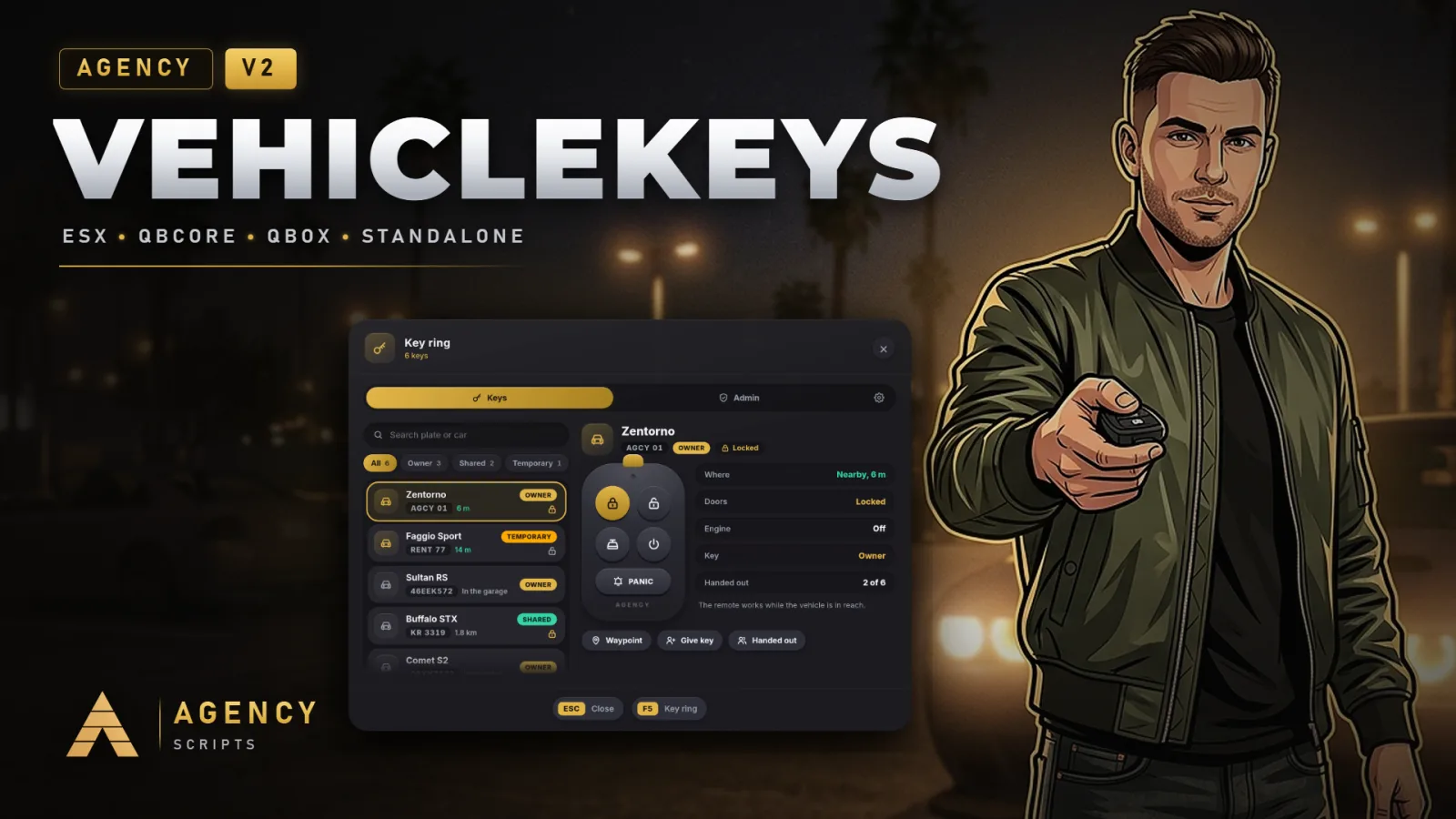
Universelle Fahrzeugschlüssel für FiveM mit QBCore, Qbox, ESX oder vollständig standalone.
01Konfiguration
Schnellinstallation · config.lua · Agency-Vehiclekeys V2
--[[ ============================================================================
     AGENCY VEHICLEKEYS V2  ·  config.lua
     ----------------------------------------------------------------------------
     Universal keys for every vehicle: owned cars, shared keys, job vehicles and
     rentals. Finds QBCore, Qbox or ESX by itself and runs fully standalone
     without any of them. Everything a server owner may want to change is here.

     Admins change the look and the most used switches live in the menu
     (/keys, tab with the gear). Those values are saved for the whole server
     and win over this file until "Reset to config.lua" is pressed.
============================================================================ ]]

Config = {}

-- =============================================================================
-- 1. GENERAL
-- =============================================================================
Config.Framework = 'auto'      -- 'auto' | 'qbcore' (also Qbox) | 'esx' | 'standalone'
Config.Locale    = 'en'        -- en de fr es it pt nl pl cs sv da fi ro hu hr bg el tr ru uk ar hi ja ko zh
-- Debug mode: every request in the server console (who, what, result), extra
-- lines in F8, and /vkdebug in game shows everything about the car in front
-- of you. Admins can switch it in the menu as well.
Config.Debug     = false

-- Where the keys are saved. 'auto' uses oxmysql when it runs (table
-- agency_vehiclekeys, created by itself) and otherwise the server's own key
-- value store, so a server without a database works as well.
Config.Storage = 'auto'        -- 'auto' | 'mysql' | 'kvp'

-- Where your framework keeps the owned vehicles. 'auto' knows QBCore and Qbox
-- (player_vehicles, citizenid) and ESX (owned_vehicles, owner). Change it only
-- for a garage or framework fork with its own table.
Config.OwnedVehicles = {
    table = 'auto',            -- e.g. 'owned_vehicles'
    owner = 'auto',            -- column with the owner: citizenid (QB) / owner (ESX)
    plate = 'plate',           -- column with the plate
}

-- The inventory that holds lockpicks. 'auto' finds ox_inventory and
-- qs-inventory, otherwise the framework's own (qb-inventory and its forks,
-- ESX). 'none' never asks for an item.
Config.Inventory = 'auto'      -- 'auto' | 'ox' | 'qs' | 'framework' | 'none'

-- How messages are shown (the V1 look and messages from the server):
-- 'auto' = Agency-Notify when it runs, then your framework, then the GTA feed.
Config.Notify = 'auto'         -- 'auto' | 'agency' | 'framework' | 'gta'

-- =============================================================================
-- 2. LOOK
-- =============================================================================
Config.UI = {
    -- 'v2' is the Agency-Housing look: gold, solid cards, pills.
    -- 'v1' is the classic look of Vehiclekeys V1: every message as a
    -- notification (Agency-Notify, your framework or the GTA feed) and the menu
    -- in the old Agency style.
    design   = 'v2',
    position = 'bottom',       -- where the key fob card shows up: 'bottom' | 'right' | 'top'
    scale    = 1.0,            -- 0.8 to 1.3
}

-- In the V2 look lock and engine messages use the key fob card; everything
-- else follows Config.Notify above. false skips Agency-Notify in 'auto'.
Config.UseAgencyNotify = true

-- =============================================================================
-- 3. CONTROLS
-- =============================================================================
-- Players can change every key in the GTA settings (Key Bindings > FiveM).
-- The defaults stay clear of the other Agency scripts: Agency Phone opens
-- with M, Agency Pad and Agency-Seatbelt use K, Agency Watch Z, Housing F7.
-- (V1 used M for the engine: set engine = 'M' for the old key.)
Config.Controls = {
    lock           = 'G',      -- lock or unlock the nearest vehicle you have a key for
    engine         = 'U',      -- engine on or off in the driver seat
    menu           = 'F5',     -- the key ring
    lockpick       = 'H',      -- pick a lock on foot, hotwire in the driver seat
    indicators     = true,     -- arrow keys for the indicators (as in V1)
    indicatorLeft  = 'LEFT',
    indicatorRight = 'RIGHT',
    hazards        = 'DOWN',
}

Config.Commands = {
    menu      = 'keys',        -- opens the key ring (admins get the admin tabs there)
    -- V1 commands, kept for everyone who is used to them:
    giveKey   = { 'givekey', 'gibschluessel' },     -- /givekey [id]: key of the vehicle you sit in or stand next to
    removeKey = { 'removekey', 'nimm_schluessel' }, -- /removekey [id]
}

-- =============================================================================
-- 4. LOCKING
-- =============================================================================
Config.Lock = {
    range   = 25.0,            -- metres the remote reaches (V1 used 100)
    anim    = true,            -- key fob in hand and the click animation
    chirp   = true,            -- short horn beep and flashing indicators
    -- Vehicle classes without doors to lock: motorcycles, cycles, boats,
    -- helicopters, planes and trains. They still need a key for the engine
    -- when Config.Engine.needKey is on.
    noLockClasses = { 8, 13, 14, 15, 16, 21 },
}

-- =============================================================================
-- 5. ENGINE AND TRUNK
-- =============================================================================
Config.Engine = {
    -- false (as in V1): everyone can start and stop any engine, keys decide
    -- who locks. true: the engine only runs with a key, after hotwiring or in
    -- an ignored vehicle.
    needKey     = false,
    keepRunning = true,        -- the engine keeps running when you get out
    remote      = true,        -- start and stop the engine from the key ring
}

Config.Trunk = {
    remote = true,             -- open and close the trunk from the key ring
}

-- =============================================================================
-- 6. SHARING KEYS
-- =============================================================================
Config.Share = {
    enabled       = true,
    distance      = 5.0,       -- metres to the other player; 0 = any online player by ID
    maxPerVehicle = 6,         -- keys an owner can hand out per vehicle
    tempHours     = 0,         -- temporary keys last until the next restart (0) or this many hours
    showNames     = false,     -- character names in the list of nearby players (off: ID and distance)
}

-- =============================================================================
-- 7. JOB VEHICLES
-- =============================================================================
-- Players with the job can lock and drive these vehicles without a key.
-- models: spawn names. grade: lowest job grade. onDuty: only while on duty
-- (QBCore, Qbox, and ESX forks with duty).
-- ace: standalone servers have no jobs; give the ACE instead, for example
--      add_ace group.police agency.vehiclekeys.police allow
Config.JobKeys = {
    police = {
        label  = 'Police',
        models = { 'police', 'police2', 'police3', 'police4', 'policeb', 'policet', 'sheriff', 'sheriff2',
                   'fbi', 'fbi2', 'pranger', 'riot', 'nightshark', 'svolito', 'polmav', 'predator' },
        grade  = 0,
        onDuty = true,
        ace    = 'agency.vehiclekeys.police',
    },
    ambulance = {
        label  = 'EMS',
        models = { 'ambulance', 'firetruk', 'lguard', 'blazer2' },
        grade  = 0,
        onDuty = true,
        ace    = 'agency.vehiclekeys.ambulance',
    },
    mechanic = {
        label  = 'Mechanic',
        models = { 'towtruck', 'towtruck2', 'flatbed' },
        grade  = 0,
        onDuty = false,
        ace    = 'agency.vehiclekeys.mechanic',
    },
}

-- =============================================================================
-- 8. IGNORED VEHICLES
-- =============================================================================
-- Nobody needs a key for these, nobody can lock them. Spawn names.
Config.IgnoredModels = {
    'pbus', 'bus', 'coach', 'airbus', 'rentalbus', 'tourbus',
    'trash', 'trash2', 'stockade', 'taxi', 'tiptruck2', 'mixer', 'guardian', 'boxville',
    'bmx', 'cruiser', 'fixter', 'scorcher', 'tribike', 'tribike2', 'tribike3',
}

-- =============================================================================
-- 9. LOCKPICKING AND HOTWIRING
-- =============================================================================
Config.Lockpick = {
    enabled = true,
    -- The first item the player carries is used. difficulty: 'easy' | 'medium' | 'hard'.
    items = {
        { name = 'advancedlockpick', difficulty = 'easy',   breakChance = 10 },
        { name = 'lockpick',         difficulty = 'medium', breakChance = 35 },
    },
    -- Standalone servers without an inventory cannot carry items. 'auto'
    -- needs an item wherever an inventory runs and none without one.
    needItem    = 'auto',      -- 'auto' | true | false
    rounds      = 3,           -- skill check rounds
    alarmChance = 60,          -- percent: the car alarm goes off
    policeChance = 40,         -- percent: police get a dispatch alert
    notifyOwner = true,        -- the owner gets a message when someone breaks in
    cooldown    = 10,          -- seconds between two tries
    alarmSeconds = 30,
    -- Classes that cannot be picked (18 = emergency vehicles).
    blockedClasses = { 18 },
}

Config.Hotwire = {
    -- Only matters with Config.Engine.needKey = true: without a key the player
    -- can hotwire the car from the driver seat. Success gives a temporary key.
    enabled     = true,
    needItem    = false,       -- true: needs one of the lockpick items
    rounds      = 4,
    difficulty  = 'medium',
    alarmChance = 35,
    policeChance = 25,
    cooldown    = 15,
}

-- =============================================================================
-- 10. POLICE ALERTS
-- =============================================================================
Config.Police = {
    jobs      = { 'police', 'sheriff', 'lspd', 'bcso' },
    onDutyOnly = true,
    -- 'auto' finds ps-dispatch, cd_dispatch, qs-dispatch, rcore_dispatch,
    -- core_dispatch, tk_dispatch or lb-tablet; 'notify' messages every
    -- officer; 'none' switches alerts off.
    dispatch  = 'auto',
    code      = '10-60',
    blip      = { sprite = 225, color = 1, scale = 1.0, seconds = 60 },
}

-- =============================================================================
-- 11. STANDALONE
-- =============================================================================
Config.Standalone = {
    -- A player who drives off first in a vehicle that nobody has a key for
    -- and that a script spawned (vMenu, admin menus, job scripts) gets a
    -- temporary key for it. Ambient traffic never counts.
    claimSpawned = true,
    -- Admins: ACE 'agency.vehiclekeys.admin' or group.admin / group.superadmin.
    adminAce = 'agency.vehiclekeys.admin',
    -- Items without a framework: fill in these three functions to connect an
    -- inventory of your own (return numbers / true).
    itemCount  = nil,  -- function(source, item) return 0 end
    removeItem = nil,  -- function(source, item, amount) return true end
}

-- On QBCore also usable in framework mode: a script spawned vehicle nobody
-- owns goes to the first driver (admin cars, events). Off by default.
Config.ClaimSpawnedWithFramework = false

-- =============================================================================
-- 12. ADMINS
-- =============================================================================
Config.AdminGroups = { 'admin', 'god', 'superadmin' }

-- =============================================================================
-- 13. OWN TEXTS
-- =============================================================================
-- Any key from locales/en.lua can be given your own wording here. It wins over
-- every language and survives updates, for example:
-- Config.Text = { locked = 'Car locked', ui_title = 'My keys' }
Config.Text = {}
02SQL Datei
Optional: Die Resource legt diese Tabellen beim Start selbst an. Importiere die Datei nur, wenn du die Datenbank von Hand einrichtest:
-- Agency Vehiclekeys V2
-- Optional: the script creates this table by itself on the first start when
-- oxmysql runs. Run it by hand only if your database user may not create tables.

CREATE TABLE IF NOT EXISTS `agency_vehiclekeys` (
    `plate`      VARCHAR(16)  NOT NULL,
    `identifier` VARCHAR(96)  NOT NULL,
    `kind`       VARCHAR(12)  NOT NULL DEFAULT 'shared',
    `holder`     VARCHAR(64)  NULL DEFAULT NULL,
    `granted_by` VARCHAR(96)  NULL DEFAULT NULL,
    `model`      VARCHAR(32)  NULL DEFAULT NULL,
    `created`    INT UNSIGNED NOT NULL DEFAULT 0,
    PRIMARY KEY (`plate`, `identifier`),
    KEY `identifier` (`identifier`)
) ENGINE=InnoDB DEFAULT CHARSET=utf8mb4 COLLATE=utf8mb4_unicode_ci;
+Gut zu wissen
Jede Option in config.lua hat eine Funktion. Die Optionen sind in 13 Abschnitte unterteilt, vom Framework bis hin zu eigenen Texten. Die am häufigsten verwendeten Schalter lassen sich auch im Spiel im Tab „Einstellungen“ des Schlüsselbunds für den gesamten Server ändern.
- Allgemein und Aussehen
- Config.Framework, Config.Locale, Config.Debug, Config.Storage, Config.Inventory und Config.Notify legen fest, wie das Script ausgeführt wird. Config.UI legt das Design (v2 oder v1), die Position der Schlüsselkarte und ihre Größe fest.
- Steuerung und Befehle
- Config.Controls legt G, U, F5 und H sowie die Pfeiltasten für die Blinker fest. Config.Commands benennt /keys und die V1-Befehle /givekey und /removekey mit ihren deutschen Aliassen.
- Verriegelung, Motor und Kofferraum
- Config.Lock legt die Reichweite der Fernbedienung, die Animation und das Hupen fest sowie die Fahrzeugklassen ohne verriegelbare Türen. Config.Engine legt fest, ob zum Starten des Motors ein Schlüssel benötigt wird, ob der Motor weiterläuft und ob er über den Schlüsselring gestartet werden kann. Config.Trunk öffnet den Kofferraum über die Fernbedienung.
- Schlüssel weitergeben
- Config.Share legt den Abstand zum anderen Spieler, die Anzahl der Schlüssel pro Fahrzeug, die Gültigkeitsdauer temporärer Schlüssel und fest, ob die Liste der Spieler in der Nähe Charakternamen anzeigt.
- Dienstfahrzeuge
- Config.JobKeys listet die Fahrzeuge von Polizei, Rettungsdienst und Mechanikern mit dem niedrigsten Jobrang auf. Außerdem wird hier festgelegt, ob der Spieler im Dienst sein muss und welcher ACE für Standalone-Server verwendet wird.
- Schloss knacken und Fahrzeuge kurzschließen
- Config.Lockpick legt die Gegenstände samt Schwierigkeitsgrad und Bruchchance fest, außerdem die Anzahl der Runden, die Alarm- und Polizeichancen, die Abklingzeit und die Fahrzeugklassen, bei denen kein Schloss geknackt werden kann. Config.Hotwire legt dieselben Einstellungen für das Kurzschließen fest.
- Polizeialarme
- Config.Police benennt die Polizeijobs und legt fest, ob nur diensthabende Beamte Alarme erhalten, welches Dispatch-System verwendet wird (auto erkennt sieben davon) sowie den Code und den Karten-Blip.
- Standalone
- Config.Standalone gibt dem ersten Fahrer eines per Script gespawnten Fahrzeugs, für das niemand einen Schlüssel hat, einen temporären Schlüssel. Hier werden außerdem der Admin-ACE benannt und das eigene Inventar über zwei Funktionen angebunden.
?Häufige Fragen
Welche Einstellungen im Menü werden geändert?
Design, Kartenposition und -größe, Fernbedienungsreichweite, Motorregeln, Hupe und Licht, Teilen, gespawnte Fahrzeuge, Schlösserknacken, Kurzschließen, Alarme und der Debug-Modus. Diese Einstellungen werden für den gesamten Server gespeichert und haben Vorrang vor config.lua, bis Reset to config.lua gedrückt oder vehiclekeys reset in der Konsole ausgeführt wird.
Wie verwende ich eigene Texte?
Füge den Schlüssel aus locales/en.lua mit deinem gewünschten Text in Config.Text ein, zum Beispiel Config.Text = { locked = 'Car locked' }. Dieser Text hat Vorrang vor jeder Sprache und bleibt auch nach Updates erhalten.