
QBESXStandalone
Agency-Repairkit V2 Configuración
Daño realista de vehículos y cuatro kits de reparación para FiveM, en QBCore, QBox, ESX o de forma totalmente.
v2.0.0De pago5 Páginas
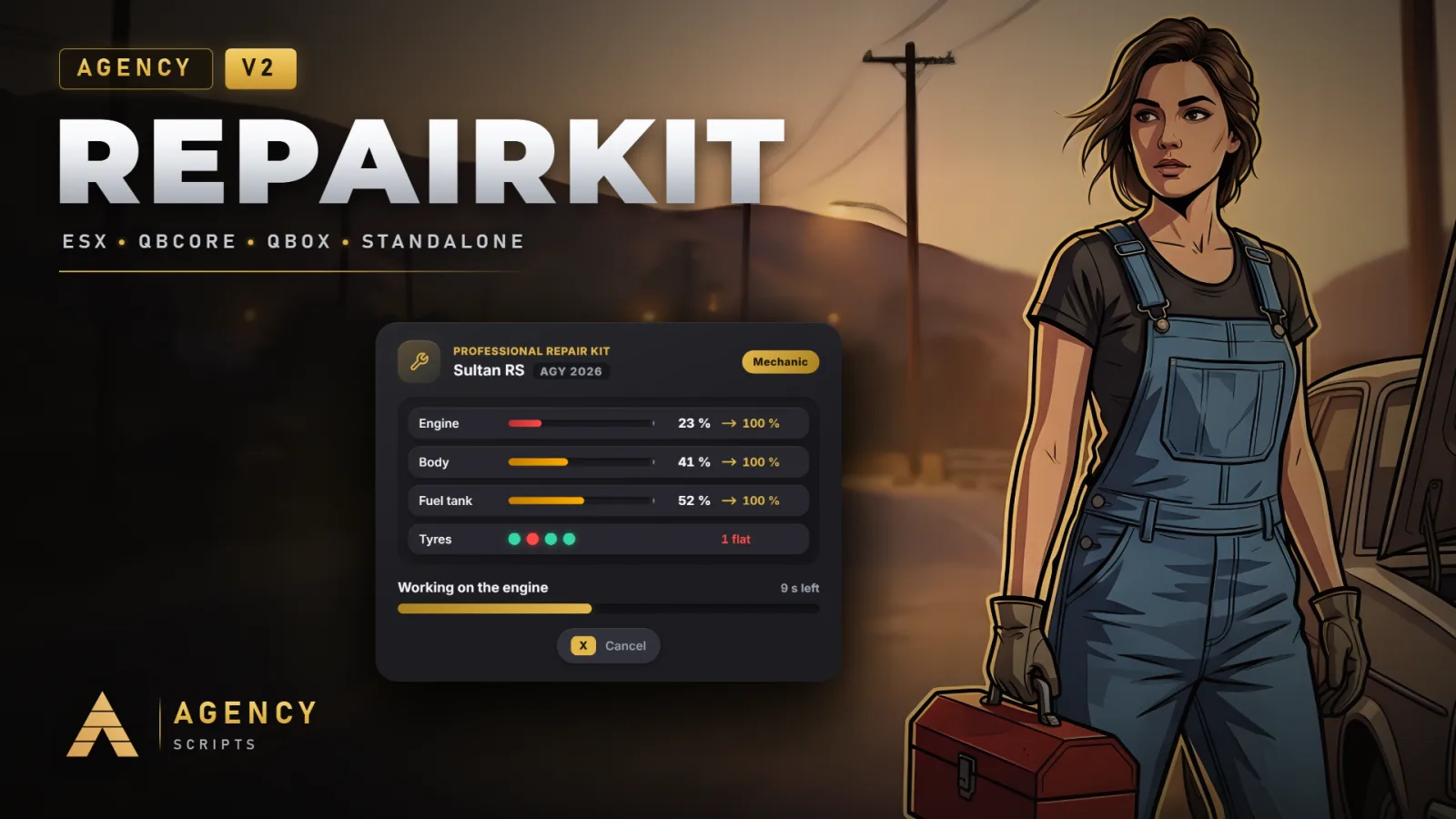
01Configuración
Instalación rápida · config.lua · Agency-Repairkit V2
--[[ ============================================================================
     AGENCY REPAIRKIT V2: CONFIGURATION
     ----------------------------------------------------------------------------
     Every value in this file does something. Framework, inventory and job
     lookups live in shared/bridge.lua, which stays readable on escrow
     protected servers, so a custom framework only has to be taught there.
============================================================================ ]]

Config = {}

-- =============================================================================
-- 1. GENERAL
-- =============================================================================

-- Language of everything the players see. Shipped with the resource:
-- en, de, fr, es, pt, it, nl, pl, cs, ro, tr, ru, uk, sv, da, fi, hu, hr,
-- el, bg, ja, ko, zh, ar, hi
Config.Locale = 'en'

-- Your own wording for any key from locales/en.lua. It wins over every
-- language file and survives updates, for example:
--   Config.Text = { kit_basic = 'Emergency Kit', warn_dead = 'Motor kaputt' }
Config.Text = {}

-- 'auto'       -> QBCore, Qbox or ESX when one of them is installed. Standalone
--                 is only chosen when qb-core, qbx_core and es_extended are all
--                 missing, so a slowly booting core is never mistaken for none.
-- 'qbcore'     -> force QBCore (qb-core) or Qbox (qbx_core)
-- 'esx'        -> force ESX (es_extended)
-- 'standalone' -> no framework, see section 10
Config.Framework = 'auto'

-- Notifications go through Agency-Notify when it runs, otherwise through the
-- framework and, standalone, through the game's own ticker.
Config.NotifyTitle     = 'Repair Kit'
Config.UseAgencyNotify = true

-- Framework groups that count as admin (QBCore / Qbox permissions, ESX groups).
-- ACE works everywhere:  add_ace group.admin agency.repairkit allow
Config.AdminGroups = { 'admin', 'god', 'superadmin' }

-- Prints the detection result and the reason of every refused repair to the
-- server console and F8.
Config.Debug = false

-- =============================================================================
-- 2. INVENTORY AND ITEMS
-- =============================================================================

-- 'auto'      -> ox_inventory, qs-inventory or the framework's own inventory
--                (qb-inventory, ps, lj, jpr and other QB forks, ESX)
-- 'ox' | 'qs' | 'framework' to force one of them
Config.Inventory = 'auto'

-- Adds the four kit items to your item list on start when they are missing:
--   QBCore without ox_inventory: at runtime through qb-core, nothing to edit
--   ESX: inserted into the `items` table (needs oxmysql), usable after the
--        next server restart
-- ox_inventory (and therefore Qbox) only reads items from its own
-- data/items.lua: copy the entries from install/ox_inventory.lua there.
-- The item pictures for every inventory are in install/images.
Config.RegisterItems = true

-- =============================================================================
-- 3. KITS
-- =============================================================================
-- One entry per usable item. Percentages are the level a part is brought UP
-- to. A part that is already in better shape is never made worse.
--
--   item        inventory item that starts this kit
--   weight      item weight in grams, only used by Config.RegisterItems
--   work        'engine' = at the engine bay (bonnet, or boot for rear engines)
--               'tyre'   = kneeling at the flat tyre closest to the player
--               'body'   = anywhere around the vehicle
--   duration    seconds of work
--   engine      engine health in % after the repair, false = not touched
--   body        body health in % after the repair, false = not touched
--   tank        fuel tank health in %, false = not touched. A tank above
--               Config.Damage.fuelLeak.below stops leaking.
--   visual      true = dents, glass, doors and lights are fixed as well
--   tyre        true = fixes the flat tyre the player works at
--   clean       true = washes dirt and blood off the vehicle
--   consume     true = the kit is used up by a finished repair
--   skillChecks number of skill checks during the work, 0 = none
--   jobs        nil = everyone, or a list of jobs, e.g. { 'mechanic' }
--   standalone  true = usable without an item on servers without any
--               inventory, from the menu and the target options (section 10)
Config.Kits = {
    basic = {
        item = 'agencyrepairkit', weight = 1500,
        work = 'engine', duration = 12,
        engine = 65, body = false, tank = 70, visual = false,
        consume = true, skillChecks = 2,
        jobs = nil, standalone = true,
    },
    advanced = {
        item = 'agencyrepairkit_advanced', weight = 3000,
        work = 'engine', duration = 25,
        engine = 100, body = 100, tank = 100, visual = true,
        consume = true, skillChecks = 3,
        jobs = nil, standalone = false,
    },
    tyre = {
        item = 'agencytyrekit', weight = 2000,
        work = 'tyre', duration = 10,
        tyre = true,
        consume = true, skillChecks = 1,
        jobs = nil, standalone = true,
    },
    cleaning = {
        item = 'agencycleaningkit', weight = 800,
        work = 'body', duration = 8,
        clean = true,
        consume = true, skillChecks = 0,
        jobs = nil, standalone = true,
    },
}

-- =============================================================================
-- 4. REPAIR
-- =============================================================================
Config.Repair = {
    distance         = 6.0,   -- metres the vehicle may be away when a kit is used
    walkToSpot       = true,  -- the player walks to the engine bay or the flat tyre
    openHood         = true,  -- opens the bonnet (boot for rear engines) while working
    requireEngineOff = true,  -- engine kits only start with the engine off
    requireEmpty     = true,  -- nobody may sit in the driver seat
    cancelKey        = 73,    -- X. Walking away or getting hurt cancels as well.
    cancelKeyLabel   = 'X',
    cooldown         = 5,     -- seconds between two kits of the same player
    -- Vehicle classes no kit works on: 13 cycles, 14 boats, 15 helicopters,
    -- 16 planes, 21 trains
    blockedClasses   = { 13, 14, 15, 16, 21 },
}

-- =============================================================================
-- 5. SKILL CHECK
-- =============================================================================
-- A gold zone on a ring, a needle turns, the player presses the key while the
-- needle is inside the zone. Every kit sets how many checks it asks for.
Config.SkillCheck = {
    enabled   = true,
    key       = 38,       -- E
    keyLabel  = 'E',
    zone      = 55,       -- size of the gold zone in degrees, bigger is easier
    speed     = 0.85,     -- needle turns per second
    timeout   = 4,        -- seconds without a key press count as a miss
    -- What a miss does:
    --   'retry'  -> a new check follows and the repair takes `penalty` seconds longer
    --   'cancel' -> the repair stops, the kit is kept
    --   'break'  -> the repair stops and the kit is lost
    onMiss    = 'retry',
    penalty   = 3,
    maxMisses = 3,        -- with 'retry': this many misses stop the repair
    loseKit   = true,     -- true = after maxMisses misses the kit is lost as well,
                          -- false = the player keeps it and can try again
}

-- =============================================================================
-- 6. MECHANICS
-- =============================================================================
Config.Mechanic = {
    -- Jobs that count as mechanic. On QBCore / Qbox every job with
    -- type = 'mechanic' counts as well.
    jobs         = { 'mechanic', 'bennys', 'lsc', 'tuner' },
    onDutyOnly   = true,   -- QBCore / Qbox: only while on duty
    speed        = 0.6,    -- mechanics need 60 % of the time
    bonus        = 20,     -- engine and body end up 20 % higher (never above 100)
    noSkillCheck = false,  -- true = mechanics skip the skill checks

    -- Kits only work while no mechanic is on duty. Mechanics themselves can
    -- always use them. Off by default.
    onlyWithoutMechanics = false,
    minOnDuty            = 1,  -- this many mechanics on duty block the kits

    -- Standalone: players with this ACE count as mechanics.
    ace = 'agency.repairkit.mechanic',
}

-- =============================================================================
-- 7. TARGET
-- =============================================================================
-- Adds "use kit" options to every vehicle with ox_target or qb-target,
-- whichever runs. An option only shows for a kit the player carries and when
-- the vehicle needs it.
Config.Target = {
    enabled  = true,
    distance = 2.5,
    icon     = 'fas fa-screwdriver-wrench',
}

-- =============================================================================
-- 8. DAMAGE SYSTEM
-- =============================================================================
-- Runs for the driver only. It works on the game's own engine, body and tank
-- health, so every HUD that reads those (Agency-Hud does) shows the same state.
Config.Damage = {
    enabled = true,

    -- Collisions hurt this much more than in plain GTA. 1.0 = unchanged.
    multiplier = 1.8,

    -- Engine health in % below which a level starts.
    levels = { light = 85, medium = 60, heavy = 35, critical = 12 },

    -- Engine power per level, 1.0 = full power.
    power = { light = 0.95, medium = 0.8, heavy = 0.6 },

    -- Misfires: the engine cuts out for a moment while accelerating.
    -- Chance per second in %, plus a backfire from the exhaust.
    misfire = { enabled = true, medium = 3, heavy = 8, backfire = true },

    -- Stalling: a hard hit kills the engine. Chance per hit in %, and the
    -- seconds until it catches again.
    stall = { enabled = true, medium = 10, heavy = 35, restart = 4 },

    -- Below the critical level the engine dies and does not start again until
    -- it is repaired. false = GTA decides on its own.
    critical = true,

    -- Fuel leak: a tank below `below` % loses fuel. `rate` is the loss per
    -- minute (in the fuel script's units, usually litres or %) of a fully
    -- destroyed tank; a less damaged tank leaks less.
    fuelLeak = { enabled = true, below = 65, rate = 12 },

    -- Wear under load: flooring an engine at level heavy or worse above `rpm`
    -- for `after` seconds costs `loss` % engine health per second.
    wear = { enabled = true, rpm = 0.85, after = 3, loss = 0.4 },

    -- Small cards on screen when the engine stalls, dies, leaks or overheats.
    warnings = true,

    -- Vehicle classes the damage system leaves alone.
    ignoredClasses = { 13, 14, 15, 16, 21 },
    -- Models the damage system leaves alone, e.g. { 'police', 'ambulance' }
    ignoredModels = {},
}

-- =============================================================================
-- 9. FUEL SCRIPT
-- =============================================================================
-- Only needed for the fuel leak. 'auto' finds LegacyFuel, ox_fuel, cdn-fuel,
-- ps-fuel, lj-fuel, qs-fuelstations, okokGasStation, lc_fuel and Renewed-Fuel.
-- Anything else uses the game's fuel level, or fill in get and set.
Config.Fuel = {
    resource = 'auto',
    -- get = function(vehicle) return GetVehicleFuelLevel(vehicle) end,
    -- set = function(vehicle, fuel) SetVehicleFuelLevel(vehicle, fuel) end,
}

-- =============================================================================
-- 10. STANDALONE (only used when no framework runs)
-- =============================================================================
--[[ WHAT WORKS WITHOUT A FRAMEWORK
       * The whole damage system, and the repair itself with walking, animation,
         skill checks, overlay, target options and props everyone can see.
       * Kits without an inventory: the Kits tab of /arepairkit and the target
         options start every kit with standalone = true, no item needed.
         Anyone may use them, or only players with the ACE below.
       * With an inventory of your own: fill in the hooks below, or call
         exports['Agency-Repairkit']:UseKit(source, 'basic') when the item is used.
       * Mechanics are players with the ACE from Config.Mechanic.ace.

     WHAT DOES NOT WORK WITHOUT A FRAMEWORK
       * Jobs: `jobs` on a kit and the mechanic bonus only know the ACE above.
       * Giving kits (Admin tab, console) needs the addItem hook.
]]
Config.Standalone = {
    ace      = false, -- false = everyone, or an ACE such as 'agency.repairkit.use'
    cooldown = 300,   -- seconds between two kits per player, only for kits without an item

    -- An inventory of your own. hasItem and removeItem make the kits items;
    -- addItem is only used for giving kits. Every hook gets the server id.
    -- hasItem    = function(src, item) return true end,
    -- removeItem = function(src, item) return true end,
    -- addItem    = function(src, item, amount) return true end,
}

-- =============================================================================
-- 11. MENU: /arepairkit, the only command
-- =============================================================================
-- Opens a card with up to three tabs:
--   Vehicle  engine, body, tank, tyres and dirt of the vehicle you sit in or
--            stand next to, for everyone
--   Kits     every kit with how many you carry and a button to use one
--   Admin    give kits to any player, set test damage on the vehicle you
--            drive and repair a vehicle instantly (admins only, section 1)
-- In the server console the same command gives kits:
--   arepairkit give [id] [basic|advanced|tyre|cleaning] [amount]
Config.Menu = {
    command = 'arepairkit',
    -- Default key, e.g. 'F7'. '' = none; players can still pick a key in
    -- Settings > Key Bindings > FiveM.
    key     = '',
    vehicle = true, -- show the Vehicle tab
    kits    = true, -- show the Kits tab
}

-- =============================================================================
-- 12. INTERFACE
-- =============================================================================
Config.UI = {
    style     = 'v2',     -- 'v2' = the Agency look, 'v1' = the look of Repairkit V1
    position  = 'bottom', -- 'bottom', 'center' or 'top' for the repair card
    scale     = 1.0,      -- 0.8 to 1.3, 1.0 is made for 1080p and up
    diagnosis = true,     -- show the vehicle check before the work starts
}

--[[ SETTINGS IN THE GAME
     Admins can change these values in the Settings tab of /arepairkit:
       Config.UI.style, .position, .scale, .diagnosis
       Config.SkillCheck.enabled, Config.SkillCheck.loseKit
       Config.Damage.enabled, Config.Damage.warnings
       Config.Mechanic.onlyWithoutMechanics
     A change applies to every player at once and is kept by the server, also
     after a restart or an update. Until "Reset to config.lua" is pressed in
     the menu, those saved values win over the ones in this file.
]]
+Conviene saber
Cada opción en config.lua tiene un efecto, y cada bloque se explica a sí mismo en los comentarios. El inglés es el idioma predeterminado, Config.Locale cambia a cualquiera de los 25 idiomas incluidos y Config.Text reemplaza textos individuales.
- Kits (Config.Kits)
- Una entrada por objeto: dónde trabaja el jugador (motor, neumático o carrocería), cuánto tarda, el porcentaje de motor, carrocería y tanque, si repara abolladuras, neumáticos o suciedad, cuántas pruebas de habilidad pide, si se consume, qué trabajos pueden usarlo y si funciona sin un objeto en un servidor standalone.
- Reparación y skill check
- Config.Repair define la distancia, el desplazamiento hasta el punto, la apertura del capó, el motor apagado, el asiento del conductor vacío, la tecla de cancelar, un tiempo de espera y las clases de vehículo bloqueadas. Config.SkillCheck define la tecla, el tamaño de la zona dorada, la velocidad, el tiempo límite y qué ocurre con un fallo: intentarlo de nuevo con segundos extra, cancelar, o romper el kit. Con loseKit = true, el valor por defecto, tres fallos seguidos cuestan el kit; con false, el jugador lo conserva.
- Mecánicos y target
- Config.Mechanic enumera los trabajos de mecánico, su velocidad y bonificación de reparación, si se saltan los skill checks, y el bloqueo opcional que impide usar los kits mientras los mecánicos están de servicio. Config.Target activa las opciones de ox_target y qb-target y define su distancia e icono.
- Daño y combustible
- Config.Damage contiene el multiplicador, los niveles de daño, la potencia por nivel, los fallos de encendido, las caladas, el motor muerto, la fuga de combustible, el desgaste bajo carga, las tarjetas de aviso y las clases y modelos exentos. Config.Fuel elige el script de combustible o utiliza tus propias funciones get y set.
- Menú y aspecto (Config.Menu, Config.UI)
- Config.Menu define el nombre del único comando, una tecla predeterminada opcional y si los jugadores ven las pestañas Vehículo y Kits; los administradores siempre tienen las pestañas Admin y Ajustes. Config.UI.style elige el aspecto Agency o el aspecto clásico de V1, además de la posición y el tamaño de la tarjeta de reparación. Los valores que los administradores cambian en la pestaña Ajustes tienen prioridad sobre este archivo hasta que los restablezcan.
?Preguntas frecuentes
¿Cómo hago un kit solo para mecánicos?
Configura jobs = { 'mechanic' } en ese kit. A los jugadores con otro trabajo se les indica que su trabajo no puede usarlo.
¿Cómo añado un quinto kit?
Copia una entrada en Config.Kits, dale un nuevo nombre y objeto, y añade su etiqueta como kit_<name> a Config.Text. Añade el objeto a tu inventario como los demás.