
Agency-Vehiclekeys V2 Configuração
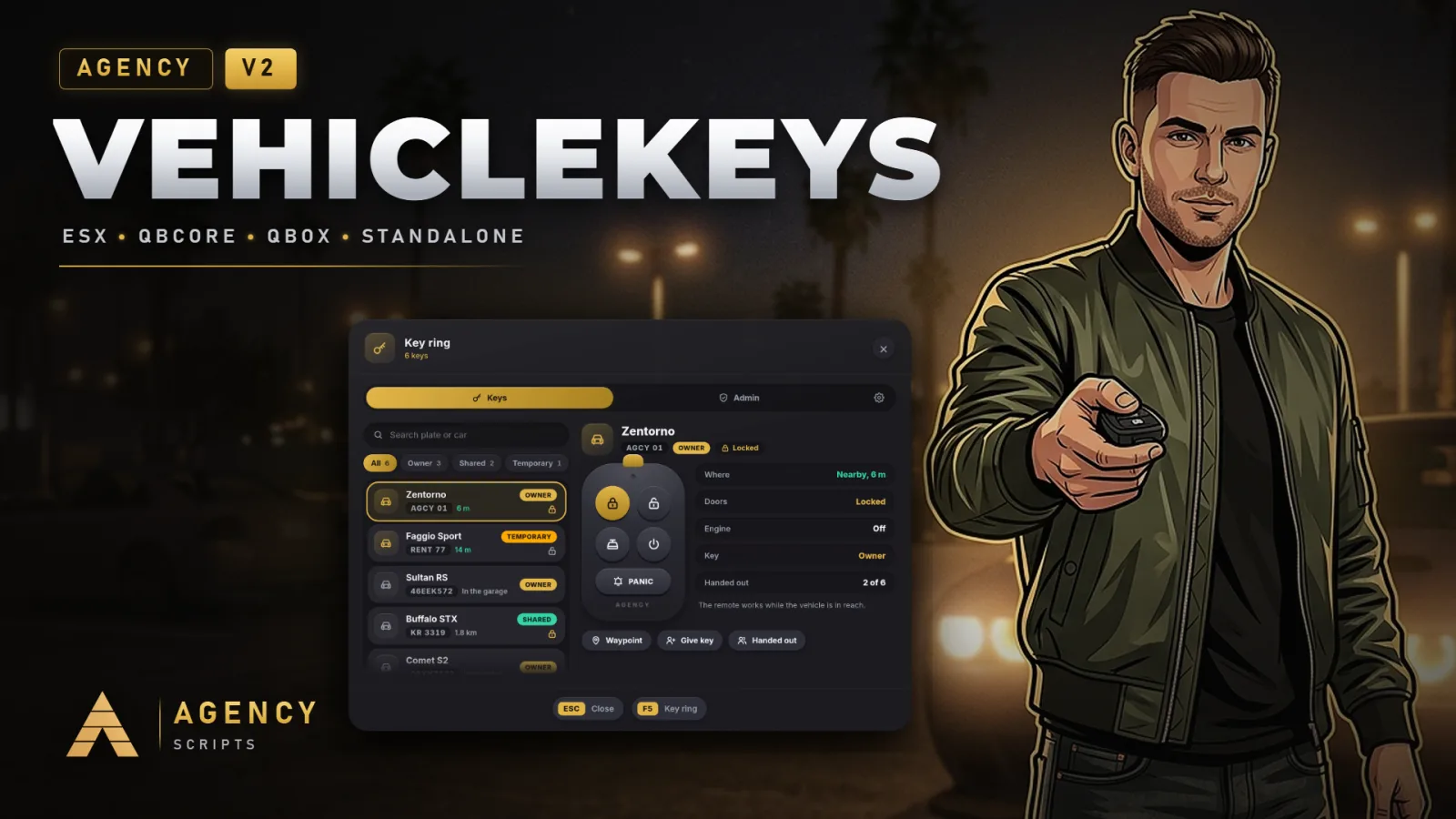
Chaves universais para veículos no FiveM, compatíveis com QBCore, Qbox, ESX ou totalmente standalone.
01Configuração
Instalação rápida · config.lua · Agency-Vehiclekeys V2
--[[ ============================================================================
     AGENCY VEHICLEKEYS V2  ·  config.lua
     ----------------------------------------------------------------------------
     Universal keys for every vehicle: owned cars, shared keys, job vehicles and
     rentals. Finds QBCore, Qbox or ESX by itself and runs fully standalone
     without any of them. Everything a server owner may want to change is here.

     Admins change the look and the most used switches live in the menu
     (/keys, tab with the gear). Those values are saved for the whole server
     and win over this file until "Reset to config.lua" is pressed.
============================================================================ ]]

Config = {}

-- =============================================================================
-- 1. GENERAL
-- =============================================================================
Config.Framework = 'auto'      -- 'auto' | 'qbcore' (also Qbox) | 'esx' | 'standalone'
Config.Locale    = 'en'        -- en de fr es it pt nl pl cs sv da fi ro hu hr bg el tr ru uk ar hi ja ko zh
-- Debug mode: every request in the server console (who, what, result), extra
-- lines in F8, and /vkdebug in game shows everything about the car in front
-- of you. Admins can switch it in the menu as well.
Config.Debug     = false

-- Where the keys are saved. 'auto' uses oxmysql when it runs (table
-- agency_vehiclekeys, created by itself) and otherwise the server's own key
-- value store, so a server without a database works as well.
Config.Storage = 'auto'        -- 'auto' | 'mysql' | 'kvp'

-- Where your framework keeps the owned vehicles. 'auto' knows QBCore and Qbox
-- (player_vehicles, citizenid) and ESX (owned_vehicles, owner). Change it only
-- for a garage or framework fork with its own table.
Config.OwnedVehicles = {
    table = 'auto',            -- e.g. 'owned_vehicles'
    owner = 'auto',            -- column with the owner: citizenid (QB) / owner (ESX)
    plate = 'plate',           -- column with the plate
}

-- The inventory that holds lockpicks. 'auto' finds ox_inventory and
-- qs-inventory, otherwise the framework's own (qb-inventory and its forks,
-- ESX). 'none' never asks for an item.
Config.Inventory = 'auto'      -- 'auto' | 'ox' | 'qs' | 'framework' | 'none'

-- How messages are shown (the V1 look and messages from the server):
-- 'auto' = Agency-Notify when it runs, then your framework, then the GTA feed.
Config.Notify = 'auto'         -- 'auto' | 'agency' | 'framework' | 'gta'

-- =============================================================================
-- 2. LOOK
-- =============================================================================
Config.UI = {
    -- 'v2' is the Agency-Housing look: gold, solid cards, pills.
    -- 'v1' is the classic look of Vehiclekeys V1: every message as a
    -- notification (Agency-Notify, your framework or the GTA feed) and the menu
    -- in the old Agency style.
    design   = 'v2',
    position = 'bottom',       -- where the key fob card shows up: 'bottom' | 'right' | 'top'
    scale    = 1.0,            -- 0.8 to 1.3
}

-- In the V2 look lock and engine messages use the key fob card; everything
-- else follows Config.Notify above. false skips Agency-Notify in 'auto'.
Config.UseAgencyNotify = true

-- =============================================================================
-- 3. CONTROLS
-- =============================================================================
-- Players can change every key in the GTA settings (Key Bindings > FiveM).
-- The defaults stay clear of the other Agency scripts: Agency Phone opens
-- with M, Agency Pad and Agency-Seatbelt use K, Agency Watch Z, Housing F7.
-- (V1 used M for the engine: set engine = 'M' for the old key.)
Config.Controls = {
    lock           = 'G',      -- lock or unlock the nearest vehicle you have a key for
    engine         = 'U',      -- engine on or off in the driver seat
    menu           = 'F5',     -- the key ring
    lockpick       = 'H',      -- pick a lock on foot, hotwire in the driver seat
    indicators     = true,     -- arrow keys for the indicators (as in V1)
    indicatorLeft  = 'LEFT',
    indicatorRight = 'RIGHT',
    hazards        = 'DOWN',
}

Config.Commands = {
    menu      = 'keys',        -- opens the key ring (admins get the admin tabs there)
    -- V1 commands, kept for everyone who is used to them:
    giveKey   = { 'givekey', 'gibschluessel' },     -- /givekey [id]: key of the vehicle you sit in or stand next to
    removeKey = { 'removekey', 'nimm_schluessel' }, -- /removekey [id]
}

-- =============================================================================
-- 4. LOCKING
-- =============================================================================
Config.Lock = {
    range   = 25.0,            -- metres the remote reaches (V1 used 100)
    anim    = true,            -- key fob in hand and the click animation
    chirp   = true,            -- short horn beep and flashing indicators
    -- Vehicle classes without doors to lock: motorcycles, cycles, boats,
    -- helicopters, planes and trains. They still need a key for the engine
    -- when Config.Engine.needKey is on.
    noLockClasses = { 8, 13, 14, 15, 16, 21 },
}

-- =============================================================================
-- 5. ENGINE AND TRUNK
-- =============================================================================
Config.Engine = {
    -- false (as in V1): everyone can start and stop any engine, keys decide
    -- who locks. true: the engine only runs with a key, after hotwiring or in
    -- an ignored vehicle.
    needKey     = false,
    keepRunning = true,        -- the engine keeps running when you get out
    remote      = true,        -- start and stop the engine from the key ring
}

Config.Trunk = {
    remote = true,             -- open and close the trunk from the key ring
}

-- =============================================================================
-- 6. SHARING KEYS
-- =============================================================================
Config.Share = {
    enabled       = true,
    distance      = 5.0,       -- metres to the other player; 0 = any online player by ID
    maxPerVehicle = 6,         -- keys an owner can hand out per vehicle
    tempHours     = 0,         -- temporary keys last until the next restart (0) or this many hours
    showNames     = false,     -- character names in the list of nearby players (off: ID and distance)
}

-- =============================================================================
-- 7. JOB VEHICLES
-- =============================================================================
-- Players with the job can lock and drive these vehicles without a key.
-- models: spawn names. grade: lowest job grade. onDuty: only while on duty
-- (QBCore, Qbox, and ESX forks with duty).
-- ace: standalone servers have no jobs; give the ACE instead, for example
--      add_ace group.police agency.vehiclekeys.police allow
Config.JobKeys = {
    police = {
        label  = 'Police',
        models = { 'police', 'police2', 'police3', 'police4', 'policeb', 'policet', 'sheriff', 'sheriff2',
                   'fbi', 'fbi2', 'pranger', 'riot', 'nightshark', 'svolito', 'polmav', 'predator' },
        grade  = 0,
        onDuty = true,
        ace    = 'agency.vehiclekeys.police',
    },
    ambulance = {
        label  = 'EMS',
        models = { 'ambulance', 'firetruk', 'lguard', 'blazer2' },
        grade  = 0,
        onDuty = true,
        ace    = 'agency.vehiclekeys.ambulance',
    },
    mechanic = {
        label  = 'Mechanic',
        models = { 'towtruck', 'towtruck2', 'flatbed' },
        grade  = 0,
        onDuty = false,
        ace    = 'agency.vehiclekeys.mechanic',
    },
}

-- =============================================================================
-- 8. IGNORED VEHICLES
-- =============================================================================
-- Nobody needs a key for these, nobody can lock them. Spawn names.
Config.IgnoredModels = {
    'pbus', 'bus', 'coach', 'airbus', 'rentalbus', 'tourbus',
    'trash', 'trash2', 'stockade', 'taxi', 'tiptruck2', 'mixer', 'guardian', 'boxville',
    'bmx', 'cruiser', 'fixter', 'scorcher', 'tribike', 'tribike2', 'tribike3',
}

-- =============================================================================
-- 9. LOCKPICKING AND HOTWIRING
-- =============================================================================
Config.Lockpick = {
    enabled = true,
    -- The first item the player carries is used. difficulty: 'easy' | 'medium' | 'hard'.
    items = {
        { name = 'advancedlockpick', difficulty = 'easy',   breakChance = 10 },
        { name = 'lockpick',         difficulty = 'medium', breakChance = 35 },
    },
    -- Standalone servers without an inventory cannot carry items. 'auto'
    -- needs an item wherever an inventory runs and none without one.
    needItem    = 'auto',      -- 'auto' | true | false
    rounds      = 3,           -- skill check rounds
    alarmChance = 60,          -- percent: the car alarm goes off
    policeChance = 40,         -- percent: police get a dispatch alert
    notifyOwner = true,        -- the owner gets a message when someone breaks in
    cooldown    = 10,          -- seconds between two tries
    alarmSeconds = 30,
    -- Classes that cannot be picked (18 = emergency vehicles).
    blockedClasses = { 18 },
}

Config.Hotwire = {
    -- Only matters with Config.Engine.needKey = true: without a key the player
    -- can hotwire the car from the driver seat. Success gives a temporary key.
    enabled     = true,
    needItem    = false,       -- true: needs one of the lockpick items
    rounds      = 4,
    difficulty  = 'medium',
    alarmChance = 35,
    policeChance = 25,
    cooldown    = 15,
}

-- =============================================================================
-- 10. POLICE ALERTS
-- =============================================================================
Config.Police = {
    jobs      = { 'police', 'sheriff', 'lspd', 'bcso' },
    onDutyOnly = true,
    -- 'auto' finds ps-dispatch, cd_dispatch, qs-dispatch, rcore_dispatch,
    -- core_dispatch, tk_dispatch or lb-tablet; 'notify' messages every
    -- officer; 'none' switches alerts off.
    dispatch  = 'auto',
    code      = '10-60',
    blip      = { sprite = 225, color = 1, scale = 1.0, seconds = 60 },
}

-- =============================================================================
-- 11. STANDALONE
-- =============================================================================
Config.Standalone = {
    -- A player who drives off first in a vehicle that nobody has a key for
    -- and that a script spawned (vMenu, admin menus, job scripts) gets a
    -- temporary key for it. Ambient traffic never counts.
    claimSpawned = true,
    -- Admins: ACE 'agency.vehiclekeys.admin' or group.admin / group.superadmin.
    adminAce = 'agency.vehiclekeys.admin',
    -- Items without a framework: fill in these three functions to connect an
    -- inventory of your own (return numbers / true).
    itemCount  = nil,  -- function(source, item) return 0 end
    removeItem = nil,  -- function(source, item, amount) return true end
}

-- On QBCore also usable in framework mode: a script spawned vehicle nobody
-- owns goes to the first driver (admin cars, events). Off by default.
Config.ClaimSpawnedWithFramework = false

-- =============================================================================
-- 12. ADMINS
-- =============================================================================
Config.AdminGroups = { 'admin', 'god', 'superadmin' }

-- =============================================================================
-- 13. OWN TEXTS
-- =============================================================================
-- Any key from locales/en.lua can be given your own wording here. It wins over
-- every language and survives updates, for example:
-- Config.Text = { locked = 'Car locked', ui_title = 'My keys' }
Config.Text = {}
02Arquivo SQL
Opcional: o recurso cria estas tabelas sozinho ao iniciar. Importe este arquivo só se você preparar o banco de dados manualmente:
-- Agency Vehiclekeys V2
-- Optional: the script creates this table by itself on the first start when
-- oxmysql runs. Run it by hand only if your database user may not create tables.

CREATE TABLE IF NOT EXISTS `agency_vehiclekeys` (
    `plate`      VARCHAR(16)  NOT NULL,
    `identifier` VARCHAR(96)  NOT NULL,
    `kind`       VARCHAR(12)  NOT NULL DEFAULT 'shared',
    `holder`     VARCHAR(64)  NULL DEFAULT NULL,
    `granted_by` VARCHAR(96)  NULL DEFAULT NULL,
    `model`      VARCHAR(32)  NULL DEFAULT NULL,
    `created`    INT UNSIGNED NOT NULL DEFAULT 0,
    PRIMARY KEY (`plate`, `identifier`),
    KEY `identifier` (`identifier`)
) ENGINE=InnoDB DEFAULT CHARSET=utf8mb4 COLLATE=utf8mb4_unicode_ci;
+Bom saber
Cada opção em config.lua tem uma função, distribuída em 13 seções, desde a estrutura até os textos personalizados. As opções mais usadas também podem ser alteradas no jogo, na aba Settings do chaveiro, para todo o servidor.
- Geral e aparência
- Config.Framework, Config.Locale, Config.Debug, Config.Storage, Config.Inventory e Config.Notify definem como o script funciona. Config.UI define o design (v2 ou v1), onde o cartão do comando aparece e o seu tamanho.
- Controles e comandos
- Config.Controls define G, U, F5 e H, além das teclas de seta para as luzes indicadoras. Config.Commands define os comandos /keys e os comandos V1 /givekey e /removekey com os respetivos aliases em alemão.
- Trancar, motor e porta-malas
- Config.Lock define o alcance do comando à distância, a animação e o sinal sonoro da buzina, além das classes de veículos sem portas para trancar. Config.Engine define se o motor precisa de uma chave, se continua a funcionar e se pode ser ligado pelo porta-chaves. Config.Trunk abre o porta-malas usando o comando à distância.
- Partilhar chaves
- Config.Share define a distância até ao outro jogador, o número de chaves por carro, a duração das chaves temporárias e se a lista de jogadores próximos mostra os nomes das personagens.
- Veículos de trabalho
- Config.JobKeys lista os veículos da polícia, dos EMS e dos mecânicos com o grau de trabalho mais baixo, se o jogador tem de estar de serviço e o ACE para servidores standalone.
- Arrombamento e ligação direta
- Config.Lockpick define os itens, com a dificuldade e a probabilidade de se partirem, o número de rondas, as probabilidades de o alarme tocar e de a polícia ser alertada, o tempo de espera e as classes de veículos que não podem ser arrombadas. Config.Hotwire faz o mesmo para a ligação direta.
- Alertas da polícia
- Config.Police define os empregos da polícia, se apenas os agentes de serviço recebem alertas, o sistema de dispatch (deteta automaticamente sete deles), o código e o blip no mapa.
- Standalone
- Config.Standalone dá uma chave temporária ao primeiro condutor de um carro criado por um script para o qual ninguém tem chave, define o ACE de administrador e liga o teu próprio inventário usando duas funções.
?Perguntas frequentes
O que alteram as definições do menu?
Design, posição e tamanho do cartão, alcance remoto, regras do motor, buzina e luzes, compartilhamento, carros criados, arrombamento de fechaduras, ligação direta, alarmes e modo de depuração. Essas configurações são salvas para todo o servidor e têm prioridade sobre config.lua até que Reset to config.lua seja pressionado ou vehiclekeys reset seja executado no console.
Como uso meus próprios textos?
Coloque a chave de locales/en.lua com o texto desejado em Config.Text, por exemplo, Config.Text = { locked = 'Car locked' }. Ela tem prioridade sobre todos os idiomas e é mantida após as atualizações.