
Agency-Banking
A complete bank for FiveM that runs on QBCore, Qbox, ESX or fully standalone.
01Overview
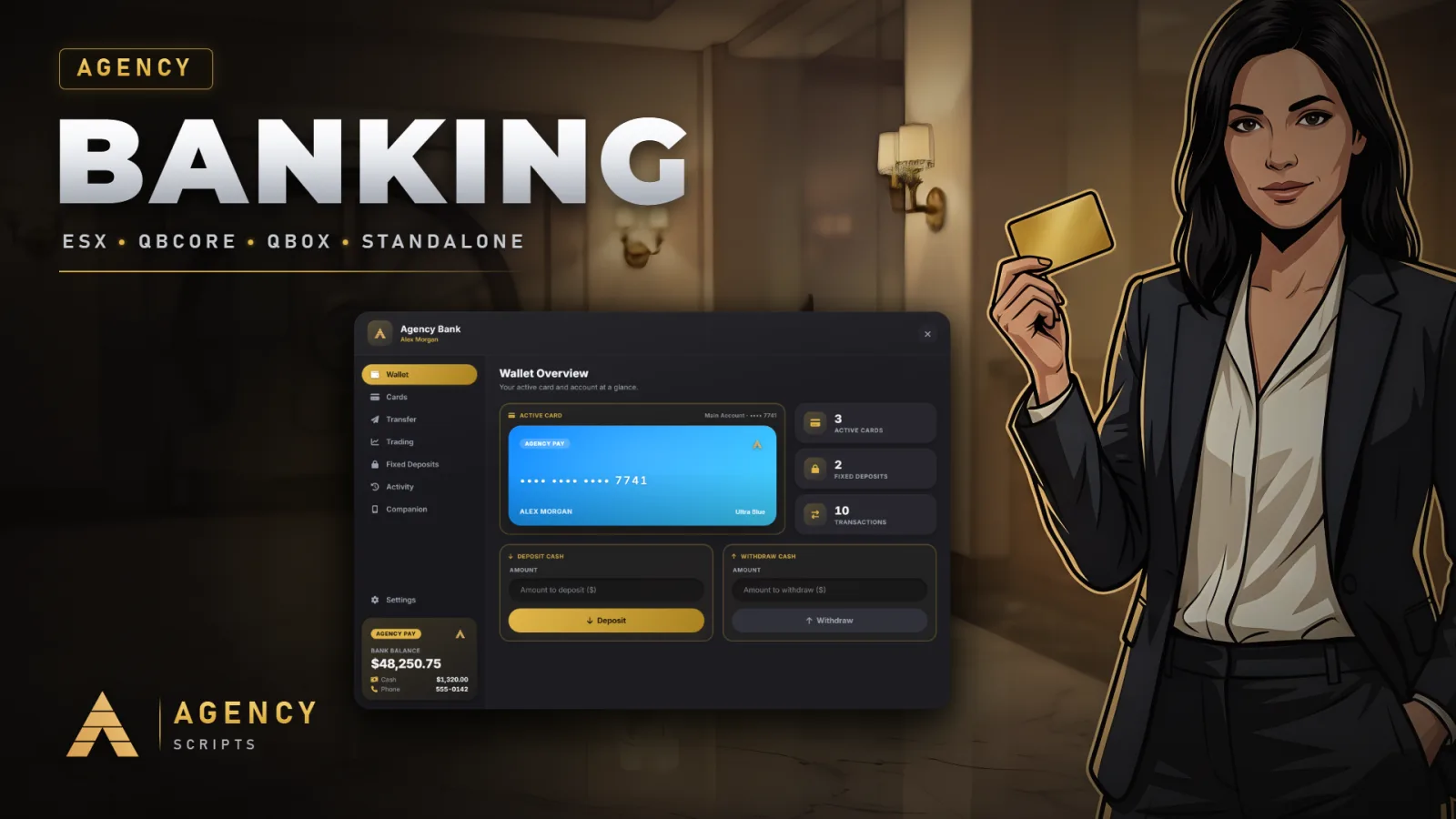
A complete bank for FiveM that runs on QBCore, Qbox, ESX or fully standalone. Players get a wallet with bank and cash, bank cards in four themes, transfers by ID or to nearby players, fixed deposits with interest that only the server decides, stock and crypto trading, an ATM PIN and a full activity log. Without a framework the bank keeps its own accounts, and other resources can use it as their money system through server exports. Two menu designs, 13 languages, markers or qb-target / ox_target, a display size slider for every player, tables that create themselves on the first start and the free Agency Companion app for balance, transfers, fixed deposits and cards on the go.
02Features
+Good to know
Agency-Banking is a complete bank for FiveM servers. It runs on QBCore, Qbox or ESX, and on a server without a framework it keeps its own accounts. Players handle their money at bank branches and ATMs: a wallet with bank balance and cash, bank cards in four themes, transfers, fixed deposits, stock and crypto trading and a full activity log. The database tables are created on the first start, and the free Agency Companion app puts balance, transfers, fixed deposits and cards on the player's real phone.
- Every Framework, or None
- With Config.Framework = 'auto' the bank finds QBCore, Qbox or ESX by itself and works with their money. Only when none of them is installed does it switch to standalone: players are identified by their Rockstar licence, and balances live in the bank's own table, shared with Agency Phone when it is installed, or in your own functions through Config.Standalone.
- Everything Players Expect from a Bank
- The wallet shows bank balance and cash side by side. Players deposit and withdraw, send money by server ID or to someone standing nearby, create bank cards in four themes and protect the ATM with a PIN that locks for 60 seconds after five wrong tries. Fixed deposits run for 7, 14 or 30 days by default, at rates that come from the server config and never from the player, and the market screens let players trade stocks and crypto.
- A Money System for Other Resources
- Server exports such as GetBankBalance, AddBankMoney and RemoveBankMoney work the same on every framework. On a standalone server they are the money system: a shop, a job or a garage charges and pays players through the bank, and an open bank shows the new balance right away. Two menu designs, 13 languages, markers or qb-target / ox_target and a display size slider for every player round it off.
?Frequently asked questions
Does Agency-Banking need QBCore or ESX?
No. It works with QBCore, Qbox and ESX, and without a framework it runs standalone with its own accounts. The only required resource is oxmysql. Leave Config.Framework on 'auto': the server console then prints either Framework detected with the name or Running standalone.
Do I have to import the SQL file?
No. On every start the resource creates the tables it needs and adds any column an older database is missing, on MariaDB and MySQL 8. agency_banking.sql is only there for servers that prefer to set up the database by hand.
How do other scripts pay or charge players?
Through the server exports. exports['Agency-Banking']:AddBankMoney(source, amount, reason) pays money in, and RemoveBankMoney returns false and takes nothing when the balance is too low. The same pair exists for cash. On QBCore and ESX an open bank follows framework money changes by itself; after any other change, trigger agency_banking:client:MoneyChanged for that player.
Can players change the size of the bank?
Yes. The display size slider under Settings scales the bank from 60 to 150 percent in 1 percent steps. It moves smoothly while dragging, the text is redrawn sharp as soon as the slider rests, and each player keeps their own size.
How do I update from an older version?
Back up your own values, replace the resource files and use the new config.lua, which adds Config.Design, Config.Framework, Config.Standalone and Config.Commands. Restart the resource: accounts, cards and fixed deposits stay in the database, and missing columns are added on start.