
QBESXStandalone
Agency-Vehiclekeys V2 Commands
Universal vehicle keys for FiveM on QBCore, Qbox, ESX or fully standalone.
v2.0.0Paid5 Pages
01Commands
| Name | Description |
|---|---|
/keys | Opens the key ring, also on F5. Admins get the Admin and Settings tabs. The name follows Config.Commands.menu. |
/givekey | V1 command, also /gibschluessel: gives a saved key for the car you sit in or stand next to. Args: [id]. |
/removekey | V1 command, also /nimm_schluessel: takes that key back. Args: [id]. |
/vkdebug | Everything about the car in front of you in F8: plate, model, lock state, your key, the owner and other keys. For admins, and for everyone while the debug mode is on. |
vehiclekeys give | Server console or admins: gives a key. Args: [id] [plate] [temp|perm|owner].Admin only |
vehiclekeys remove | Server console or admins: takes a key away. Args: [id] [plate].Admin only |
vehiclekeys info | Server console or admins: owner and key holders of a plate. Args: [plate].Admin only |
vehiclekeys settings | Server console or admins: shows what was changed in the settings of the key ring.Admin only |
vehiclekeys reset | Server console or admins: puts every setting back to config.lua.Admin only |
vehiclekeys debug | Server console or admins: switches the debug mode on or off.Admin only |
02Keybinds
| Key | Description |
|---|---|
G | Locks or unlocks the nearest vehicle you have a key for, up to 25 metres away. |
U | Starts or stops the engine in the driver seat. |
F5 | Opens the key ring. |
H | Picks the lock of a locked car on foot, or hotwires the car in the driver seat when the engine needs a key. |
E / X | Presses in the marked zone of the skill check, X stops the try. |
Arrow keys | Left and right indicator, the down arrow switches the hazard lights. |
+Good to know
Players mostly use keys: G, U, F5 and H. /keys opens the key ring, and admins find their tools in its Admin and Settings tabs. A few console commands cover what a server owner may want to run from txAdmin.
- The Key Ring
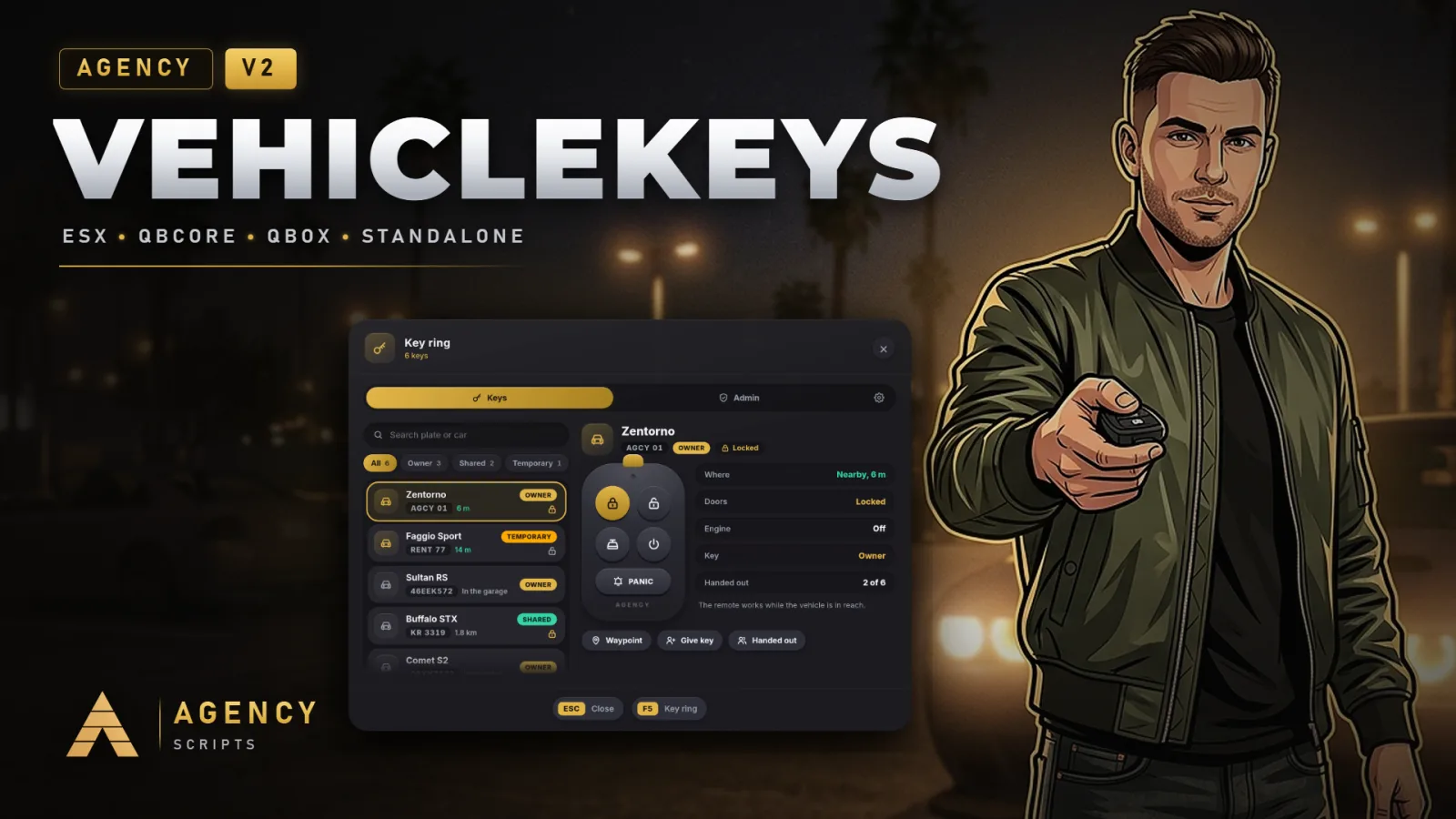
- /keys or F5 opens the key ring. The list shows every key with search and filters, and the right side holds the remote, the facts about the car and the actions Waypoint, Give key and Handed out. The tab bar and the lists can be dragged and swiped.
- Giving and Taking Back
- Give key lists the players within 5 metres; pick one, choose saved or temporary and hand it over. Handed out lists everyone with a key and takes a key back with one click. The V1 commands /givekey [id] and /removekey [id] do the same for the car you sit in or stand next to.
- Admin
- The Admin tab searches players by ID or name, gives a key for any plate, looks up a plate with its owner and key holders and locks or unlocks the car in front of you. It also shows the framework, the storage and the number of saved keys.
- Settings
- The Settings tab behind the gear changes the look and the most used switches for the whole server. Reset to config.lua goes back to the file.
- Console
- vehiclekeys give, remove and info handle keys from txAdmin. vehiclekeys settings shows what was changed in the menu, vehiclekeys reset puts everything back to config.lua and vehiclekeys debug switches the debug mode.
?Frequently asked questions
Can players change the keys?
Yes. Every key is registered as a key binding, so players change them in the GTA settings under Key Bindings, FiveM. The defaults are set in Config.Controls.
How do I turn on the debug mode?
Config.Debug = true, the switch in the settings of the key ring, or vehiclekeys debug in the console. Every request then shows in the server console, and /vkdebug tells everything about the car in front of you.