
Standalone
Agency Companion Configuration
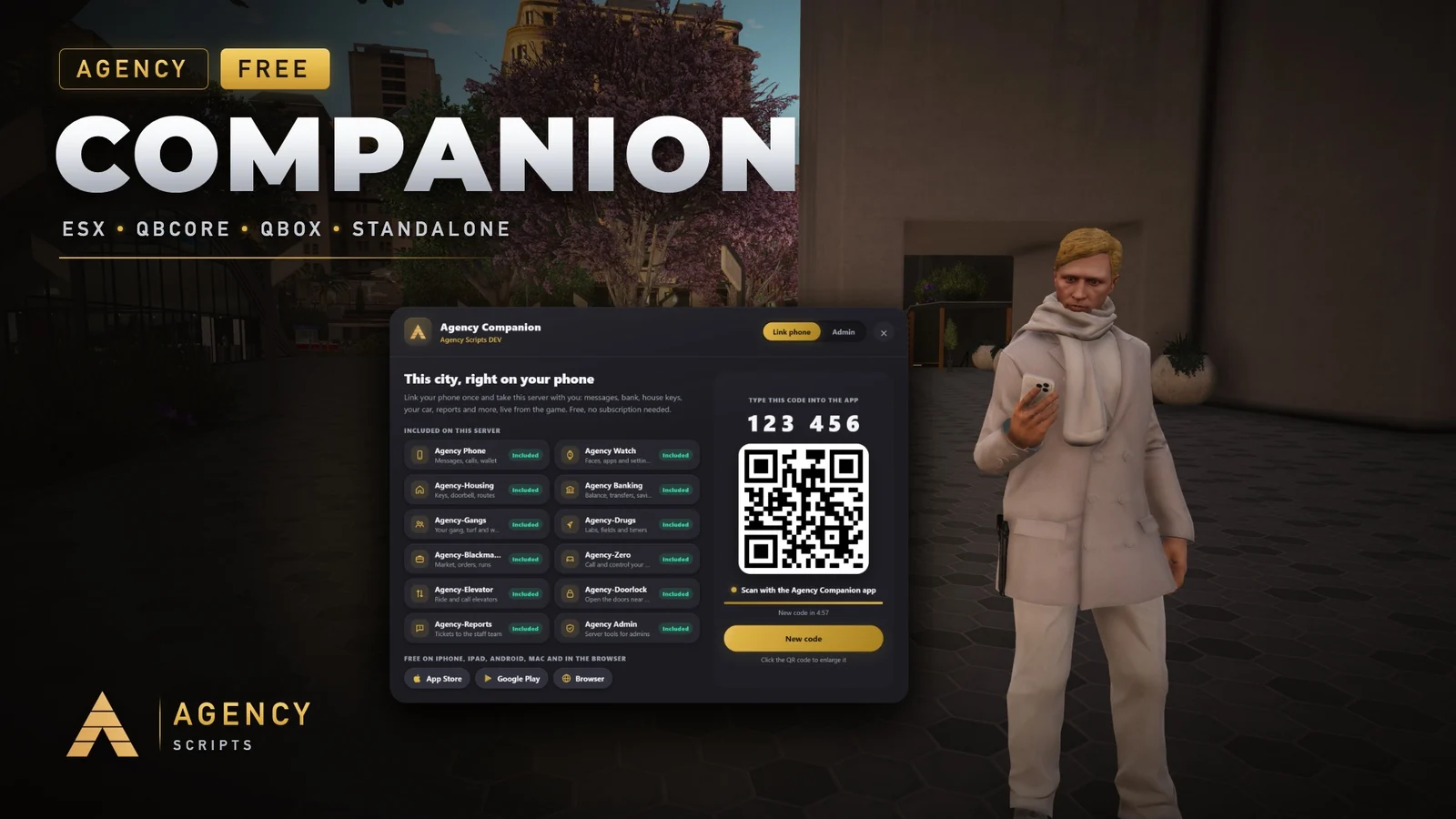
Agency Companion is two things that belong together: a free FiveM resource for your server and the free Agency.
v1.0.2Free6 Pages
01Configuration
Quick Installation · config.lua · Agency Companion
--[[
    ╔══════════════════════════════════════════════════════════════════════╗
    ║                 AGENCY COMPANION  -  CONFIGURATION                   ║
    ║                          (c) Agency Scripts                          ║
    ╚══════════════════════════════════════════════════════════════════════╝

    CONTENTS
     1. Core               Language, command, key, accent colour
     2. Players            Join card and chat announcement
     3. Admins             Who sees the admin page in /app
     4. Scripts            Which Agency scripts are offered
     5. AgencyMod          Discord bot, server list, chat bridge
     6. Advanced           Relay, console report

    One command and one code link every Agency script on this server to the
    free Agency Companion app (iPhone, iPad, Android, Mac, browser). Players
    type /app, scan the QR or type the 6-digit code, done.

    Admins pick one accent colour for all Agency scripts, see script updates
    and manage the server listing on the admin page of /app.

    App (free): iPhone, iPad and Mac https://apps.apple.com/app/id6778632140
                Android https://play.google.com/store/apps/details?id=de.agencyg.companion
                Web app https://companion.agencyg.de/app
    This script (free): https://shop.agencyg.de/en/product/agency-companion
    Discord: https://discord.gg/RTax3aBMUs · Shop: https://shop.agencyg.de
]]

Config = {}


--==============================================================================
--  1 · CORE
--==============================================================================

-- ── Language ─────────────────────────────────────────────────────────────────
-- Window, chat announcement and every message.
-- en bg cs da de el es fi fr hr hu it ja ko nb nl pl pt ro ru sk sv tr uk zh-Hans
-- 'auto' follows the server convar `locale` (e.g. setr locale "de-DE").
Config.Language = 'en'

-- ── Command & key ────────────────────────────────────────────────────────────
Config.Command = 'app'                        -- opens the window (without /)
Config.CommandAliases = { 'companion' }       -- extra names, {} for none
Config.Key = 'F4'                             -- default key, players can rebind it; false = no key

-- ── Accent colour ────────────────────────────────────────────────────────────
-- Starting colour of the window as R, G, B. Admins change the colour for all
-- Agency scripts in game (/app, admin page); that choice wins over this line.
Config.AccentColor = { 226, 182, 73 }


--==============================================================================
--  2 · PLAYERS
--==============================================================================

-- ── Join card ────────────────────────────────────────────────────────────────
-- A small card the first time a player joins: "this city has an app". Shown
-- once, then again after RemindDays if the player still has not opened /app.
Config.JoinHint = {
    Enabled    = true,
    DelaySec   = 25,                          -- seconds after the character spawned
    ShowSec    = 14,                          -- how long the card stays
    RemindDays = 14,                          -- 0 = never again
}

-- ── Chat announcement ────────────────────────────────────────────────────────
-- A short chat message to everyone every few minutes. Admins can switch it on
-- and off in /app too; that choice is remembered and wins over this line.
Config.Announce = {
    Enabled         = false,
    IntervalMinutes = 45,
}


--==============================================================================
--  3 · ADMINS
--==============================================================================
-- Any of these is enough to see the admin page in /app.
Config.Admin = {
    Ace = 'agencycompanion.admin',            -- add_ace group.admin agencycompanion.admin allow
    QBCorePermissions = { 'admin', 'god' },
    ESXGroups = { 'admin', 'superadmin' },
}


--==============================================================================
--  4 · SCRIPTS
--==============================================================================
-- Agency scripts that should NOT be offered in the one code, by kind, e.g. { 'admin' }.
Config.Exclude = {}


--==============================================================================
--  5 · AGENCYMOD
--==============================================================================
-- The free AgencyMod Discord bot (bot.agencyscripts.dev): server list, chat
-- bridge and admin commands from Discord. Admins link the server in /app
-- (admin page: "Get code"), then type /game link code:<code> in Discord.
-- Join link and listing can also be changed in /app; those settings win here.
Config.AgencyMod = {
    Enabled          = true,
    ListInServerList = true,                  -- show this server in the AgencyMod / Agency Companion server list
    Join             = '',                    -- your join link, e.g. 'cfx.re/join/abc123'
    Description      = '',
    DiscordInvite    = '',                    -- e.g. 'https://discord.gg/abc123'
    Tags             = 'roleplay',
    ChatBridge       = true,                  -- mirror the chat into a Discord channel and back (/game chat)
    RemoteCommands   = true,                  -- allow /game command (console) from Discord admins
}


--==============================================================================
--  6 · ADVANCED
--==============================================================================
Config.RelayUrl = 'https://api.agencyg.de'    -- do not change unless instructed
Config.StartupReport = true                   -- one console line per start with the scripts found