
QBESXStandalone
Agency-Chat Configuration
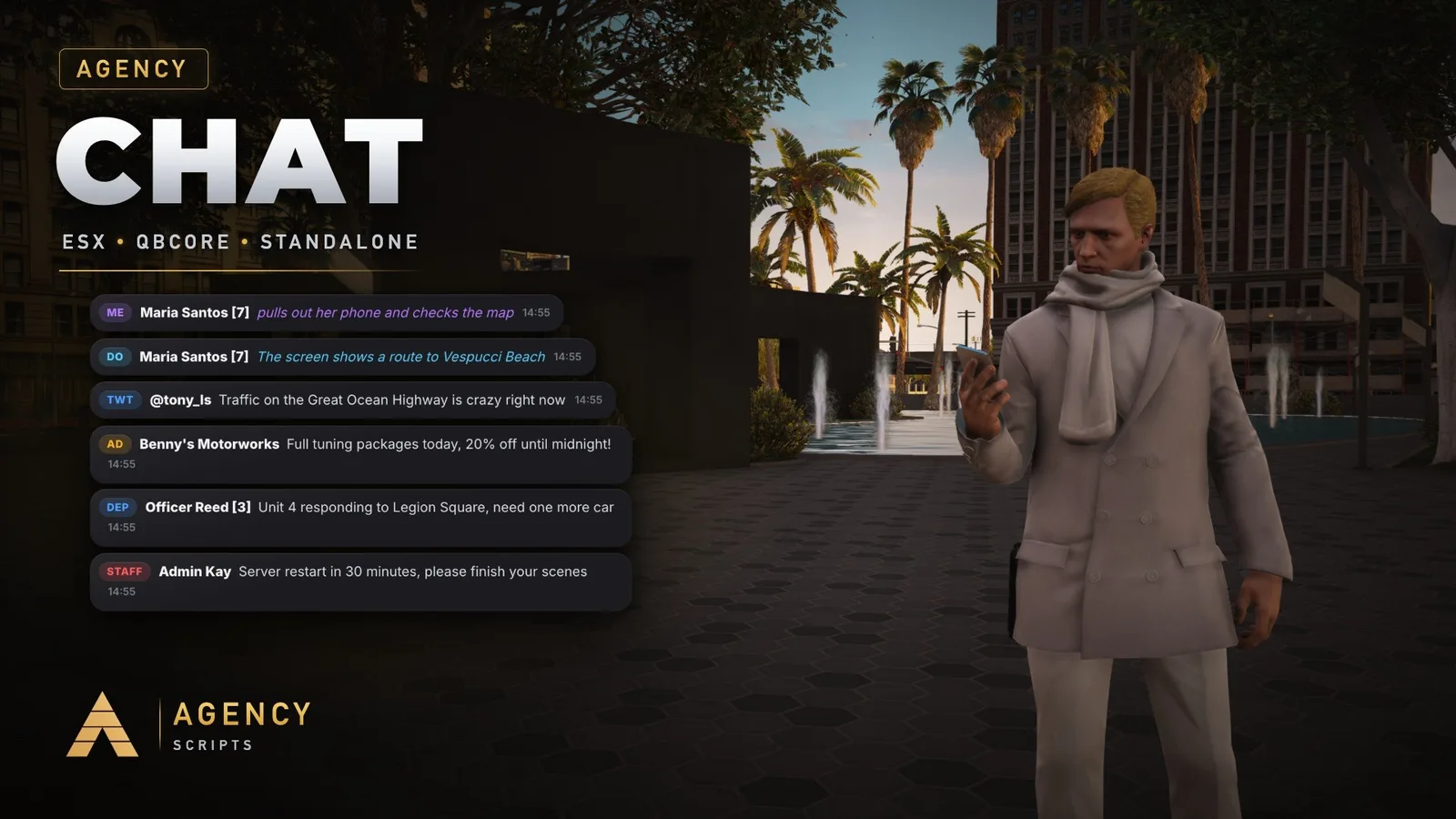
The chat for your FiveM server in the Agency design, the same look as Agency Notify and Agency Progressbar.
v1.2.0Paid5 Pages
01Configuration
Quick Installation · config.lua · Agency-Chat
--[[
    ╔══════════════════════════════════════════════════════════════════════╗
    ║                    AGENCY CHAT  -  CONFIGURATION                     ║
    ║                          (c) Agency Scripts                          ║
    ╚══════════════════════════════════════════════════════════════════════╝

    CONTENTS
     1. Agency Companion   The free app for your players, accent colour
     2. Core               Framework, language, keys
     3. Look               Position, fading, timestamps
     4. Chat rules         Plain text, names, spam protection
     5. Commands           /ooc /looc /me /do /ad /twt /staff /pm /gc /roll, job chats
     6. Agency Scripts     Admin, Gangs, Lifeinvader, Phone, Banking: works with them by itself

    Agency Chat replaces the default "chat" resource. Remove "ensure chat"
    from your server.cfg and add "ensure Agency-Chat" instead.
    Everything that already talks to the chat keeps working:
        TriggerClientEvent('chat:addMessage', source, { args = { 'SYSTEM', 'Hello' } })
        exports.chat:addMessage(source, { args = { 'Hello' } })

    Discord: https://discord.gg/RTax3aBMUs · Shop: https://shop.agencyg.de
]]

Config = {}


--==============================================================================
--  1 · AGENCY COMPANION
--==============================================================================
-- Agency-Companion (free): https://shop.agencyg.de/en/companion
-- Admins pick one accent colour for all Agency scripts in game (/app, admin page),
-- players pick one menu size for all of them. Agency Chat follows both by itself.
Config.Companion = {
    Enabled = true,                           -- follow Agency-Companion (accent colour)
}

-- ── Accent colour ────────────────────────────────────────────────────────────
-- false     = the colour from Agency-Companion, gold without it
-- a colour  = a fixed colour for this script only, as '#00BEFF' or { 0, 190, 255 }
Config.AccentColor = false


--==============================================================================
--  2 · CORE
--==============================================================================

-- ── Framework ────────────────────────────────────────────────────────────────
-- 'auto' = detects qb-core, then es_extended, otherwise standalone
-- 'qb' | 'esx' | 'standalone' to force one
Config.Framework = 'auto'

-- ── Language ─────────────────────────────────────────────────────────────────
-- en bg cs da de el es fi fr hr hu it ja ko nb nl pl pt ro ru sk sv tr uk zh-Hans
Config.Locale = 'en'

-- ── Keys (players can change both in Settings > Key Bindings > FiveM) ────────
Config.OpenKey   = 'T'                         -- opens the chat input
Config.ToggleKey = 'L'                         -- cycles: show on new messages / always / hidden

-- ── Agency Notify ────────────────────────────────────────────────────────────
-- true = error hints (spam, no permission, ...) appear as Agency Notify when it is
-- running, otherwise as a chat line.
Config.UseAgencyNotify = true


--==============================================================================
--  3 · LOOK
--==============================================================================
Config.UI = {
    position       = 'top-left',               -- top-left | top-right | center-left | center-right | bottom-left | bottom-right
    maxMessages    = 80,                       -- messages kept in the chat window
    fadeOutAfter   = 9000,                     -- ms a new message stays visible while the input is closed
    showTimestamps = true,                     -- small time next to every message
    maxSuggestions = 6,                        -- command suggestions shown at once

    -- Your own logo: put the file into html/img and write its name here, or use a https link.
    -- png, jpg, jpeg, webp, gif or svg, a square image looks best. false = no logo.
    logo = 'img/logo.png',
}

-- ── Settings per player ──────────────────────────────────────────────────────
-- Every player can set their own chat colour, size and position in a small menu.
-- The first colour in the menu goes back to the server colour (Config.AccentColor).
Config.PlayerSettings = {
    enabled  = true,
    command  = 'achat',                        -- chat command that opens the menu (without /)
    database = true,                           -- true = saved in your database (oxmysql), the table is created by itself.
                                               -- Without oxmysql the settings are saved on the server instead.
}


--==============================================================================
--  4 · CHAT RULES
--==============================================================================

-- ── Plain text (typed without a /command) ────────────────────────────────────
-- 'global' = everyone reads it (like the default chat)
-- 'local'  = only players within Config.ProximityRange (needs OneSync, else global)
-- 'off'    = only commands are allowed
Config.PlainText = 'global'

Config.ProximityRange = 20.0                   -- metres for local, /looc, /me and /do

-- ── Names ────────────────────────────────────────────────────────────────────
-- 'character' = first and last name of the character (QBCore / ESX), FiveM name standalone
-- 'player'    = always the FiveM name
Config.NameMode = 'character'
Config.ShowServerId = true                     -- "John Doe [12]"

-- ── Protection ───────────────────────────────────────────────────────────────
Config.MaxLength = 256                         -- characters per message
Config.AntiSpam = {
    enabled  = true,
    messages = 5,                              -- at most this many messages ...
    seconds  = 6,                              -- ... within this many seconds
}
Config.AllowColorCodes = false                 -- players may use ^1 ^2 ... (staff always may)

-- ── Join and leave lines ─────────────────────────────────────────────────────
Config.ShowJoins = true
Config.ShowQuits = true

-- ── Staff ────────────────────────────────────────────────────────────────────
-- A player counts as staff when ONE of these is true:
--   ace permission (add_ace group.admin agencychat.staff allow)
--   QBCore permission from the list
--   ESX group from the list
Config.Staff = {
    ace        = 'agencychat.staff',
    qbPerms    = { 'admin', 'god' },
    esxGroups  = { 'admin', 'superadmin' },
}


--==============================================================================
--  5 · COMMANDS
--==============================================================================
-- enabled = false switches a command off (e.g. when another script already has /me).
-- command = the chat command without the slash, change it as you like.
-- color   = colour of the tag in front of the message, { r, g, b }
Config.Commands = {
    ooc   = { enabled = true, command = 'ooc',   color = { 154, 162, 174 } },             -- global
    looc  = { enabled = true, command = 'looc',  color = { 154, 162, 174 } },             -- nearby
    me    = { enabled = true, command = 'me',    color = { 181, 124, 255 }, text3d = true }, -- nearby
    ['do']= { enabled = true, command = 'do',    color = { 90, 210, 255 },  text3d = true }, -- nearby
    twt   = { enabled = true, command = 'twt',   color = { 77, 159, 255 },                -- global
              pulse = true },                                                             -- also a post in the Pulse app (Agency-Phone)
    ad    = { enabled = true, command = 'ad',    color = { 255, 176, 32 },                -- global, costs money
              price = 250, account = 'bank', cooldown = 60,                               -- account: 'bank' | 'cash'
              lifeinvader = true },                                                       -- also into the Lifeinvader feed (Agency-LifeinvaderV3)
    staff = { enabled = true, command = 'staff', color = { 255, 92, 92 } },               -- staff only
    pm    = { enabled = true, command = 'pm',    color = { 160, 200, 255 } },             -- private message: /pm <id> <text>
    reply = { enabled = true, command = 'r' },                                            -- reply to your last private message
    gang  = { enabled = true, command = 'gc',    color = { 226, 182, 73 } },              -- Agency-Gangs: everyone in your gang
    roll  = { enabled = true, command = 'roll',  color = { 53, 214, 166 }, max = 100 },  -- nearby: /roll [sides]
    announce = { enabled = true, command = 'announce', color = { 226, 182, 73 } },       -- staff: announcement for everyone
    clear = { enabled = true, command = 'clear' },                                        -- clears your own chat
    clearall = { enabled = true, command = 'clearall' },                                  -- staff: clears it for everyone
}

-- 3D text above the head for /me and /do
Config.Text3D = {
    duration = 6000,                           -- ms
    range    = 20.0,                           -- metres you can read it from
}

Config.CurrencySymbol = '$'

-- ── Job chats ────────────────────────────────────────────────────────────────
-- Everyone with one of the jobs reads and writes. onDuty = true needs the player on duty (QBCore).
-- Standalone: the ace "agencychat.job.<command>" allows it.
Config.JobChats = {
    { command = 'dep', label = 'Department', color = { 77, 159, 255 },
      jobs = { 'police', 'ambulance', 'sheriff' }, onDuty = false },
    { command = 'mech', label = 'Mechanic', color = { 255, 138, 61 },
      jobs = { 'mechanic' }, onDuty = false },
}


--==============================================================================
--  6 · AGENCY SCRIPTS
--==============================================================================
-- Agency Chat finds these scripts by itself when they run, nothing else to set up.
--   Agency-Admin        everyone with access to the admin panel counts as staff
--   Agency-Gangs        /gc is the chat of your gang (tag and colour of the gang)
--   Agency-LifeinvaderV3  /ad also lands in the Lifeinvader feed (Config.Commands.ad.lifeinvader)
--   Agency-Phone        /twt is also a post in the Pulse app (Config.Commands.twt.pulse)
--   Agency-Banking      without QBCore / ESX the /ad price is paid through Agency-Banking
--   Agency-Notify       hints appear as notifications (Config.UseAgencyNotify)
Config.Integrations = {
    agencyAdmin = true,                        -- Agency-Admin staff count as chat staff
    banking     = true,                        -- standalone: pay /ad through Agency-Banking
    mentions    = true,                        -- "@12" in a message highlights it for player 12
}