
Button roles
Messages with buttons that give or remove roles when members click them.
What is it for?
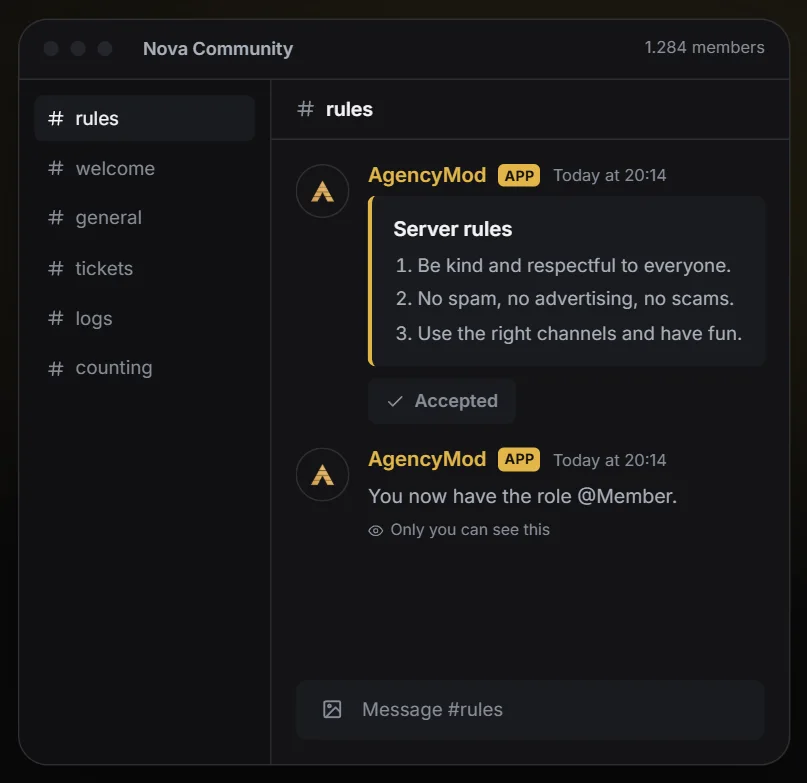
Messages with buttons that give or remove roles with one click, for example for notifications, games, colors or accepting the rules.Set it up in 3 steps
- 01Create a panel and pick the channel it should appear in.
- 02Add buttons: each one gets a role, a label and, if you like, an emoji.
- 03Save: the message appears in the channel, and members pick their roles with one click.
TipThe AgencyMod role must be above the roles it gives out, otherwise Discord blocks it.
All settings explained
Switched on and off with the switch at the top of the tab.
Settings
- Panels
- Each panel is one message with up to 25 buttons.
Something unclear? Open a ticket at help.agencyg.de in the AgencyMod category or ask in our Discord. Privacy policy and terms